Directus AI Operations Bundle
A small bundle of Flow Operations which enable interaction with the OpenAI and Stability API's.
Note: To use these you will need an API Key for the respective services.
Tested with Directus 11.2.2
Installation
The package is published to npm:
npm install directus-extension-ai-operation-bundle
Manual Installation
- Download or fork the repository
- Install the requirements
npm install - Build the extension
npm run build - Move the entire project to your extension folder (only the
package.jsonanddistfolder are strictly necessary)
mv ./ extensions/directus-extension-ai-operation-bundle - Restart your Directus instance
Bundle Content
Stable Diffusion Operation
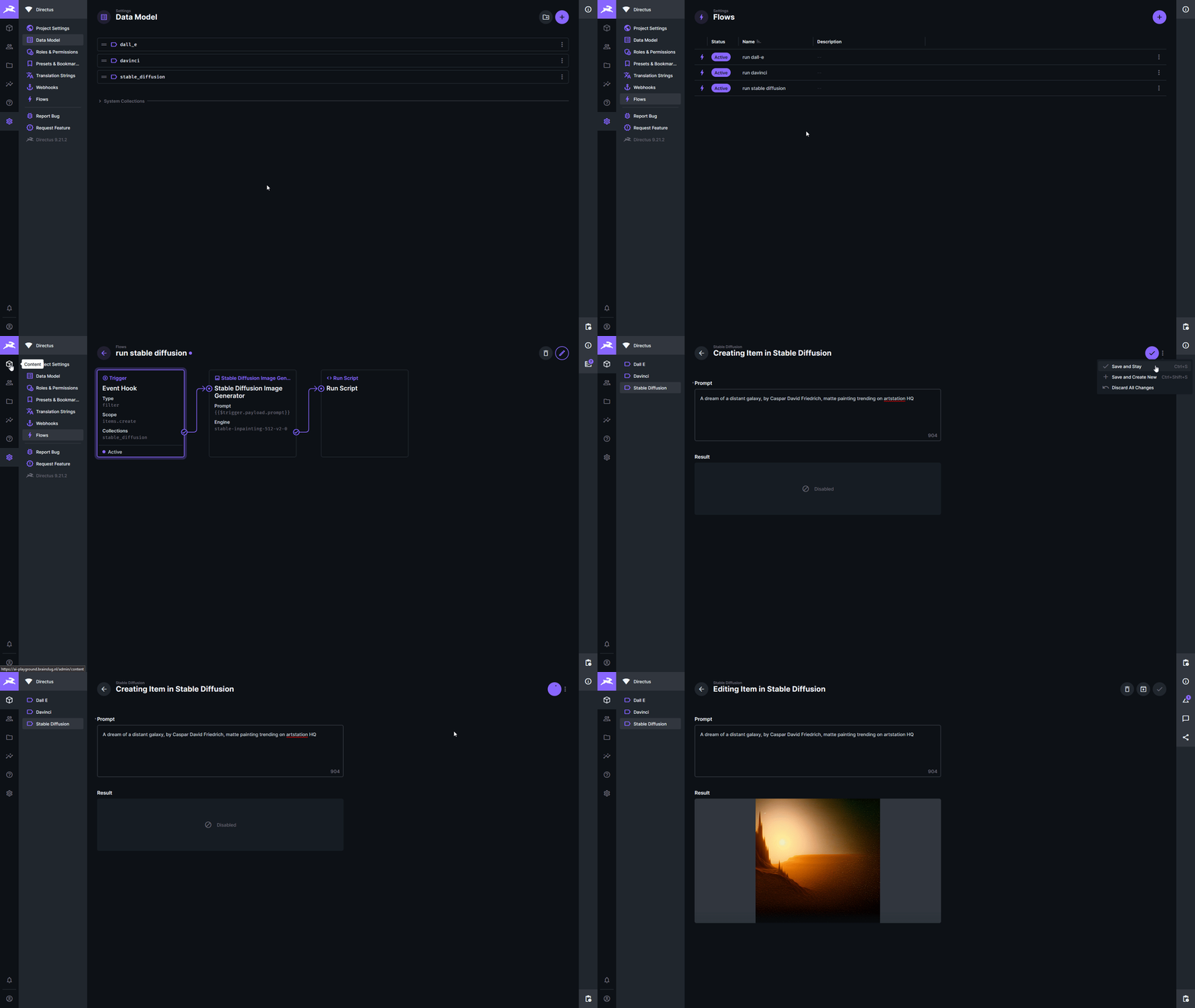
This operation allow you generate images from text using the Stable Diffusion models with the Stability.ai API taking a prompt as input and saves the resulting image to the file library returning its ID as output.
Output
An object containing the ID of the resulting image file.
{ "id": "[UUID]" }
Configuration Options
I am by no means an expert in what any of these model specific settings do so please check out the stability docs for that.
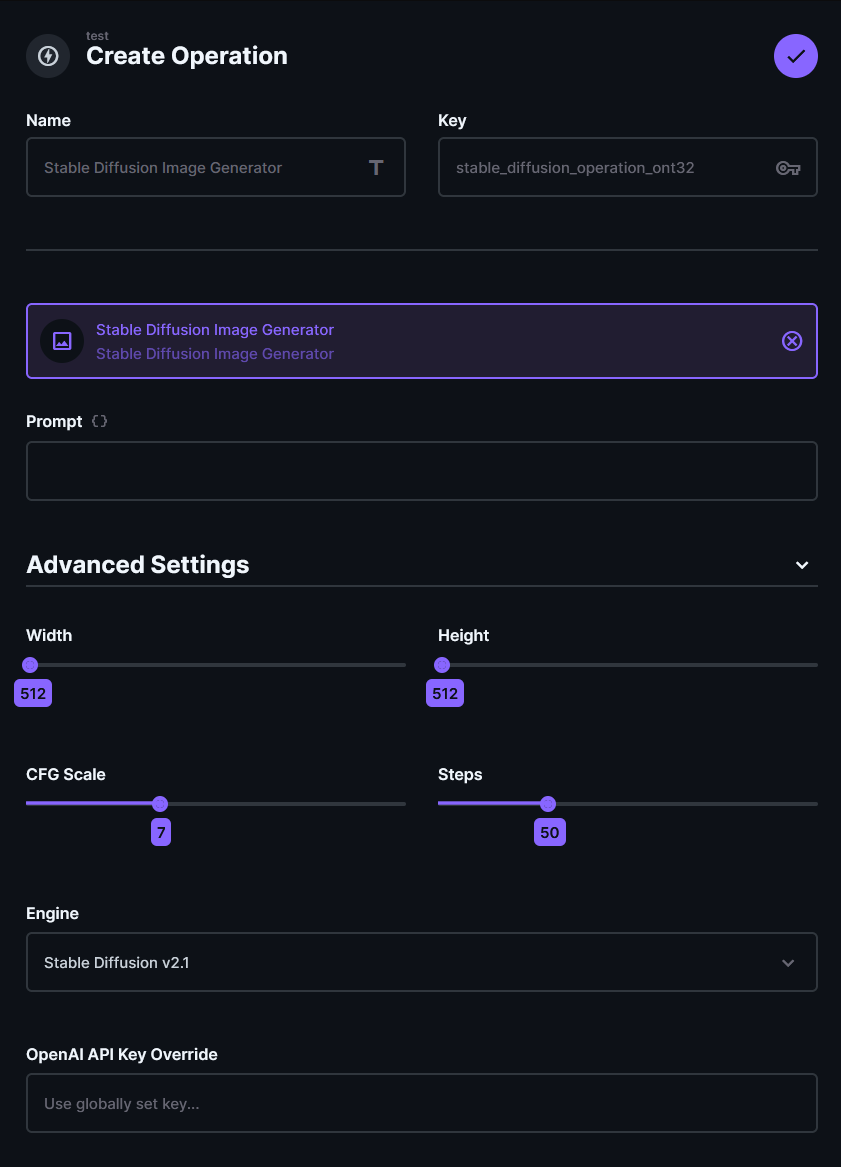
PromptThis is the main text input used for generating the image.WidthWidth of the image (note: height * width must be <= 1 Megapixel)HeightHeight of the image (note: height * width must be <= 1 Megapixel)CFG ScaleHow strictly the diffusion process adheres to the prompt text (higher values keep your image closer to your prompt)StepsNumber of diffusion steps to runEngineThe model to be used (defined choices can be found in src/lib/constants.jsAPI Key OverrideUsed to set an API Key to be used specificly on this operation.
DALL-E Operation
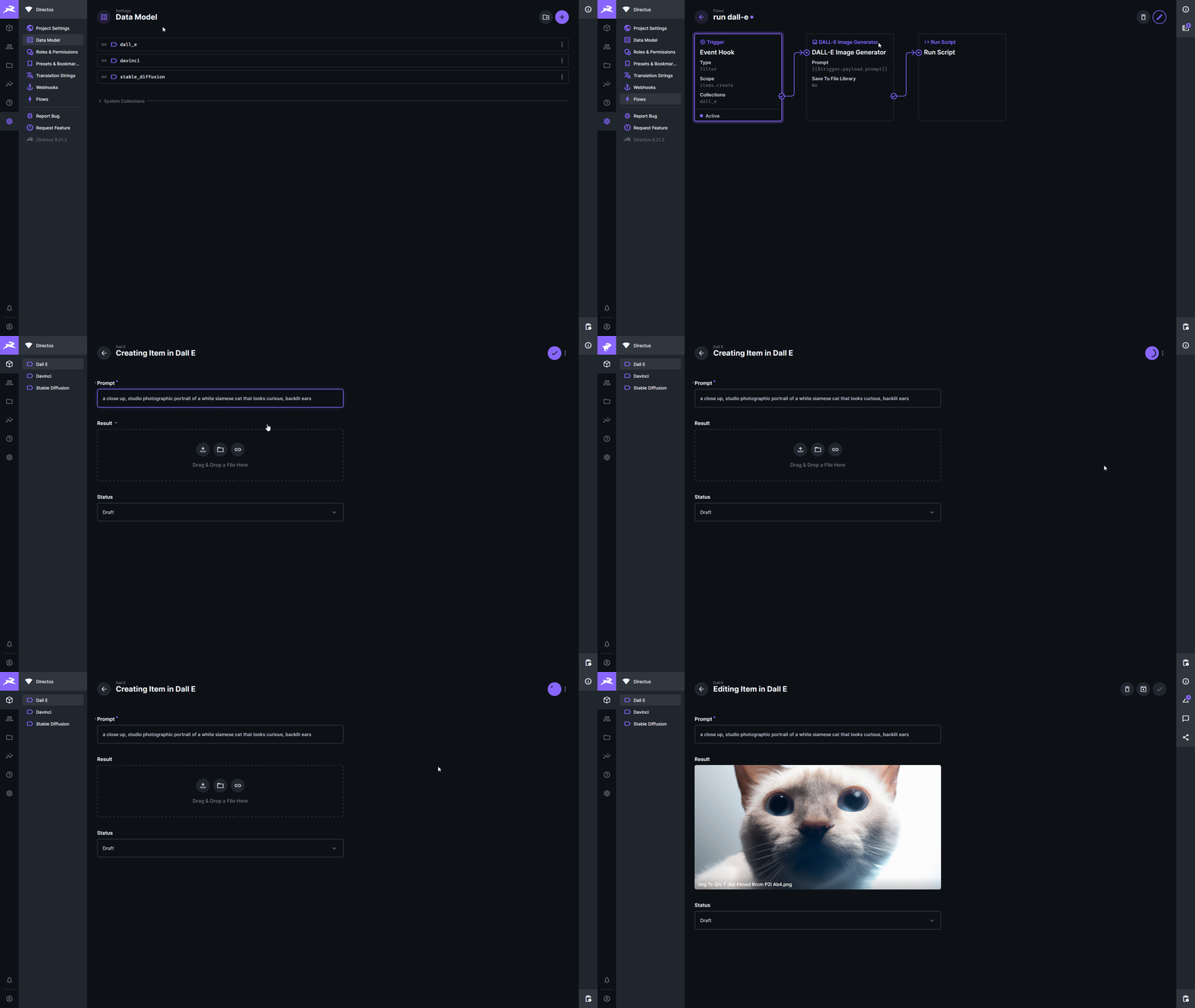
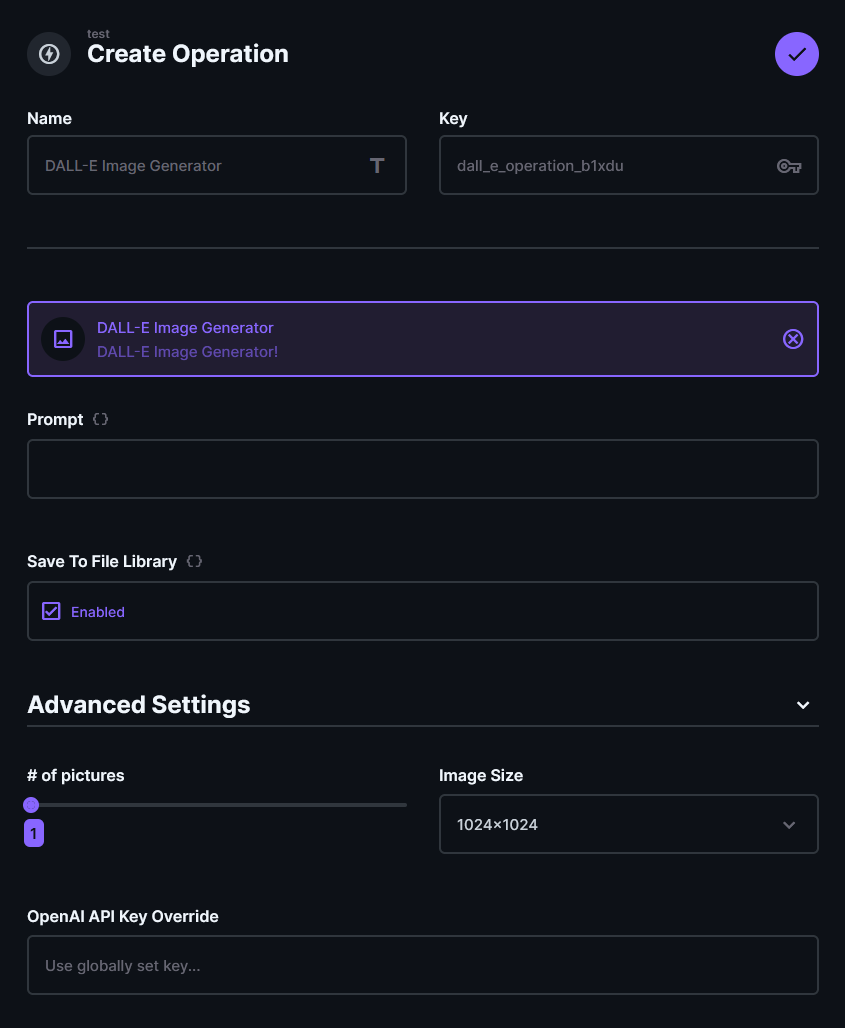
Similar to the Stable Diffusion operation this allows you to generate images from text but using the OpenAI DALL-E models instead with the OpenAI API taking a prompt as input, optionally saves it to the local file library and returning both the original URL and local image file ID.
Output
An object containing the ID(s) and URL(s) of the resulting image file(s).
For a single result:
{ "url": "https://some.url", "id": "[UUID]" }
For multiple results:
{ "url": ["https://some.url","https://some.other.url"], "id": ["[UUID]","[UUID]"] }
Configuration Options
PromptThis is the main text input used for generating the image.Save To File LibraryDisable importing the image into the local storage allowing you to use the DALL-E result URL for other systems.Number of picturesDALL-E allows you to generate up to 10 images.Image SizeChoices are256x256,512x512or1024x1024API Key OverrideUsed to set an API Key to be used specificly on this operation.
GPT-3 Davinci Operation
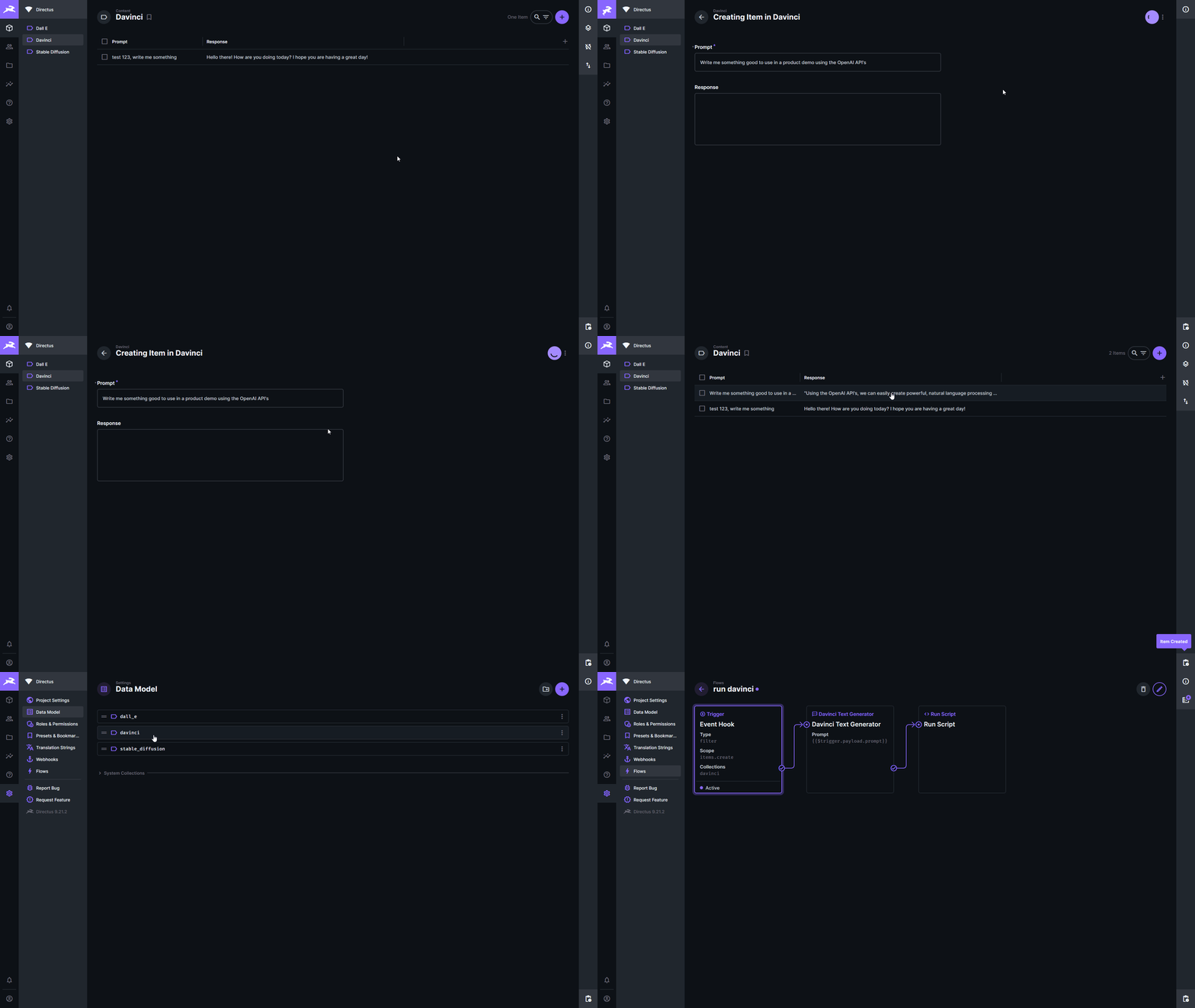
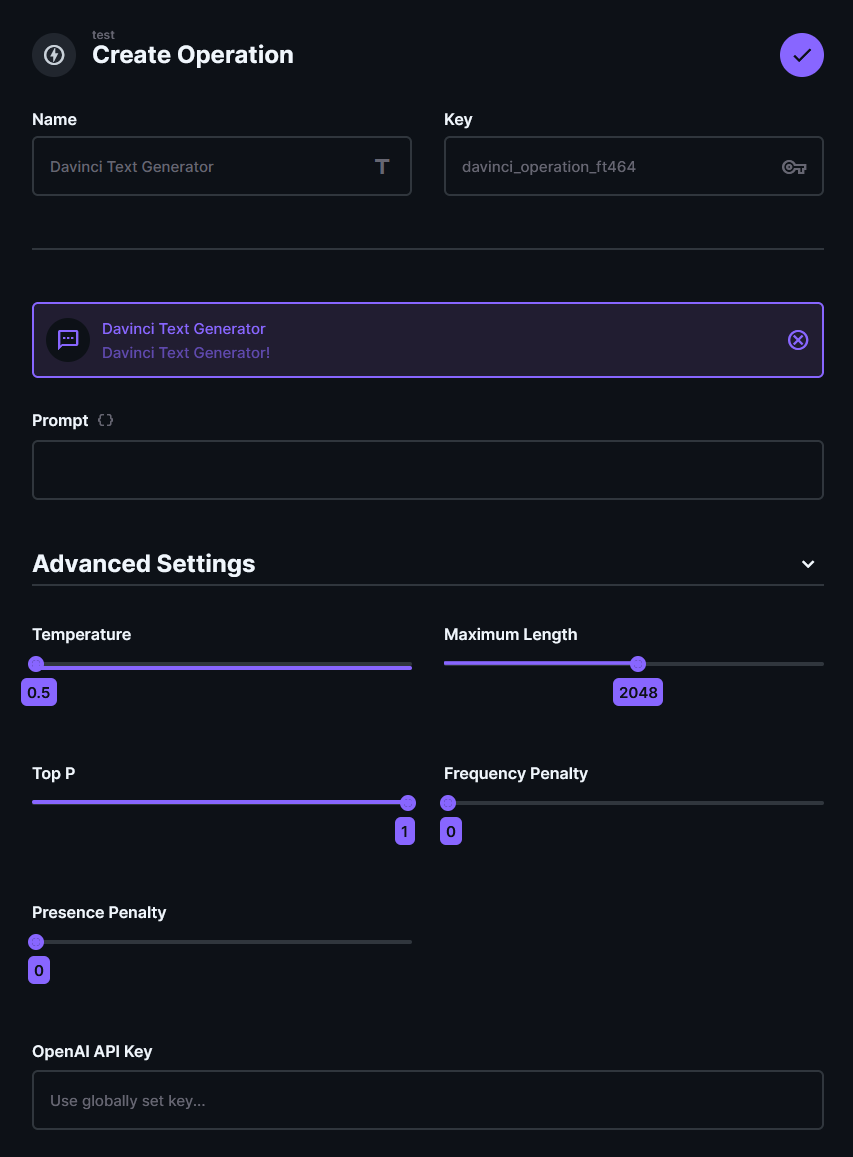
This operation allows text completion using the OpenAI Davinci models with the OpenAI API taking a prompt as input and returns the generated text.
Output
An object containing the generated text:
{ "response": "Generated TEXT" }
Configuration Options
I am by no means an expert in what any of these model specific settings do so please check out the OpenAI docs for that.
PromptThis is the main text input used for text completion.TemperatureControls randomness: Lowering results in less random completions.Maximum LengthThe maximum number of tokens to generate. Requests can use up to 2,048 or 4,000 tokens shared between prompt and completion.Top PControls diversity via nucleus sampling: 0.5 means hald of all likelihood-weighted options are considered.Frequency PenaltyHow much to penalize new tokens based on their existing frequency in the text so far. Decreases the models likelihood to repeat the same line verbatim.Presence PenaltyHow much to penalize new tokens based on whether they appear in the text so far. Increases the models likelihood to talk about new topics.API Key OverrideUsed to set an API Key to be used specificly on this operation.
ChatGPT Operation
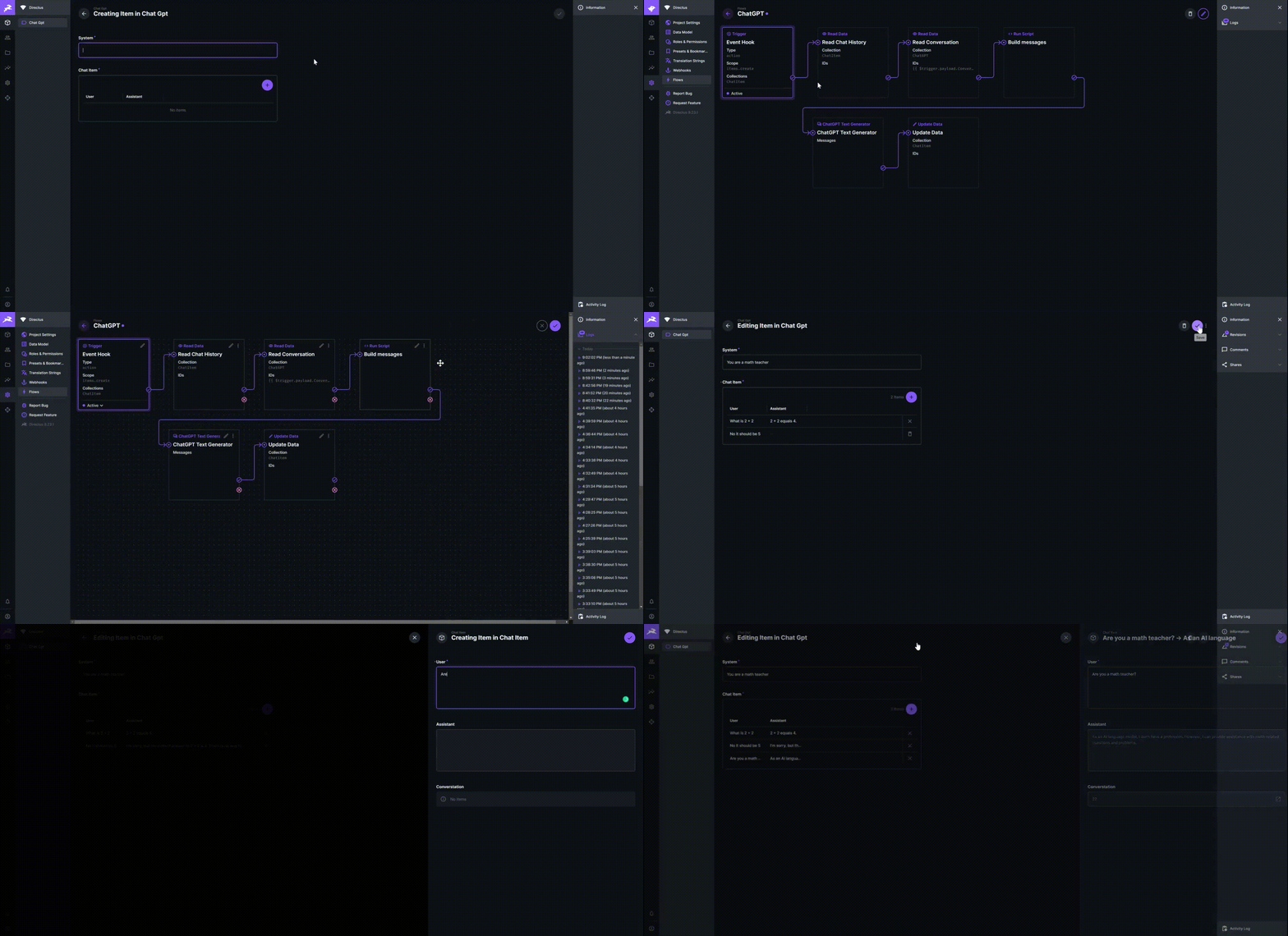
This operation allows chat text completion using any of the available OpenAI models with the OpenAI API taking a list of messages as input and returns the generated response text.
Output
An object containing the generated text:
{ "response": "Generated chat message" }
Configuration Options
Please check out the OpenAI docs for details usage.
Messagesa json string list of messages as described in OpenAI docsTemperatureControls randomness: Lowering results in less random completions.Maximum LengthThe maximum number of tokens to generate. Requests can use up to 2,048 or 4,000 tokens shared between prompt and completion.Top PControls diversity via nucleus sampling: 0.5 means hald of all likelihood-weighted options are considered.Frequency PenaltyHow much to penalize new tokens based on their existing frequency in the text so far. Decreases the models likelihood to repeat the same line verbatim.Presence PenaltyHow much to penalize new tokens based on whether they appear in the text so far. Increases the models likelihood to talk about new topics.API Key OverrideUsed to set an API Key to be used specificly on this operation.
Configuration Hook
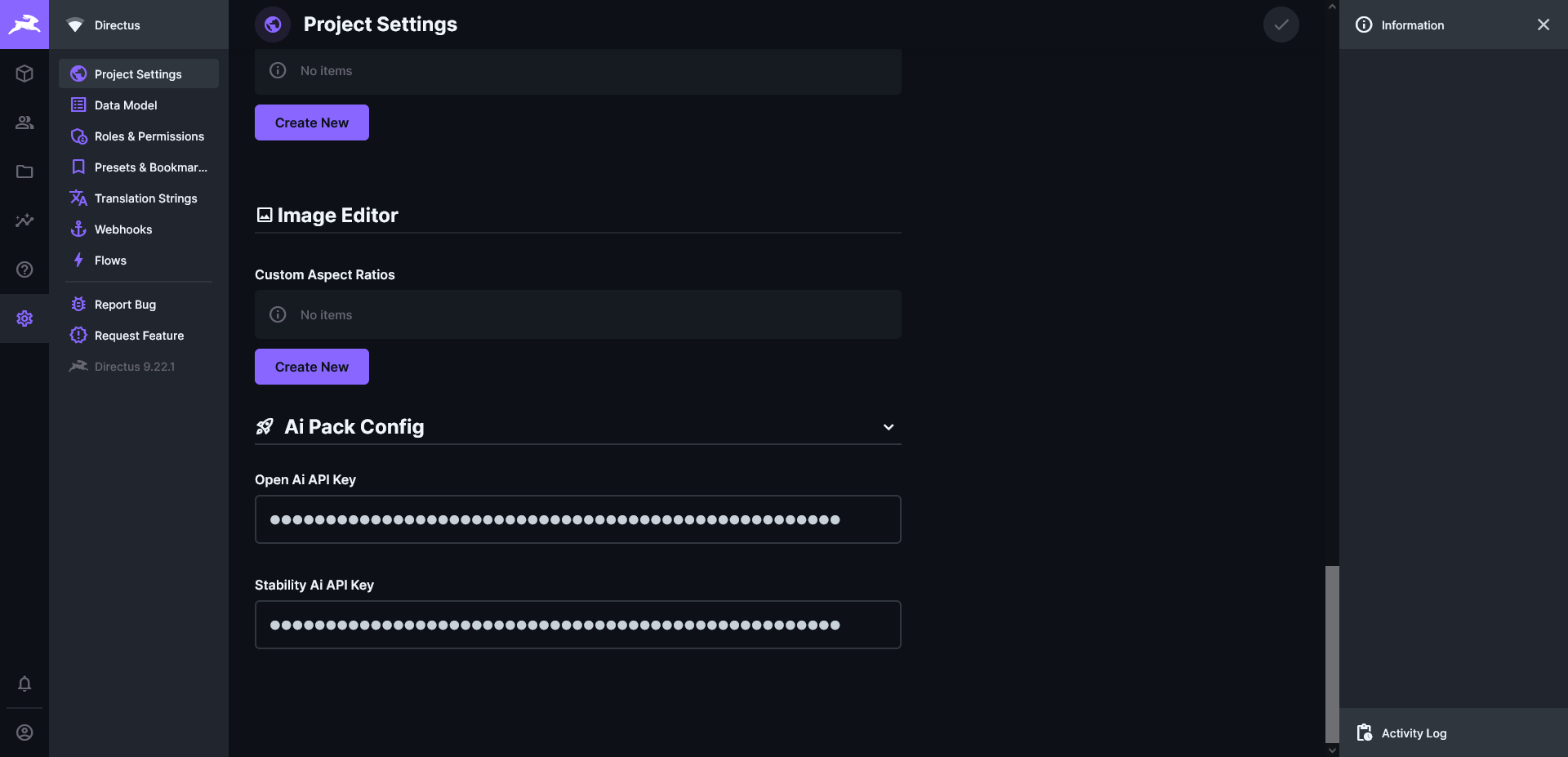
This hook ensures the existence of API Key fields in the Directus Setting. These global settings will be used by the individual operations if not overridden in its local configuration. You can now also select your model of choice. If you want to manually choose one, simply click edit raw value.