

Related Items Bundle
Find all collections, fields or items related to a collection even if it doesn't include the reverse fields from the supported relationships: Many to One (m2o), One to Many (o2m), Many to Many (m2m) or Many to Any (m2a).
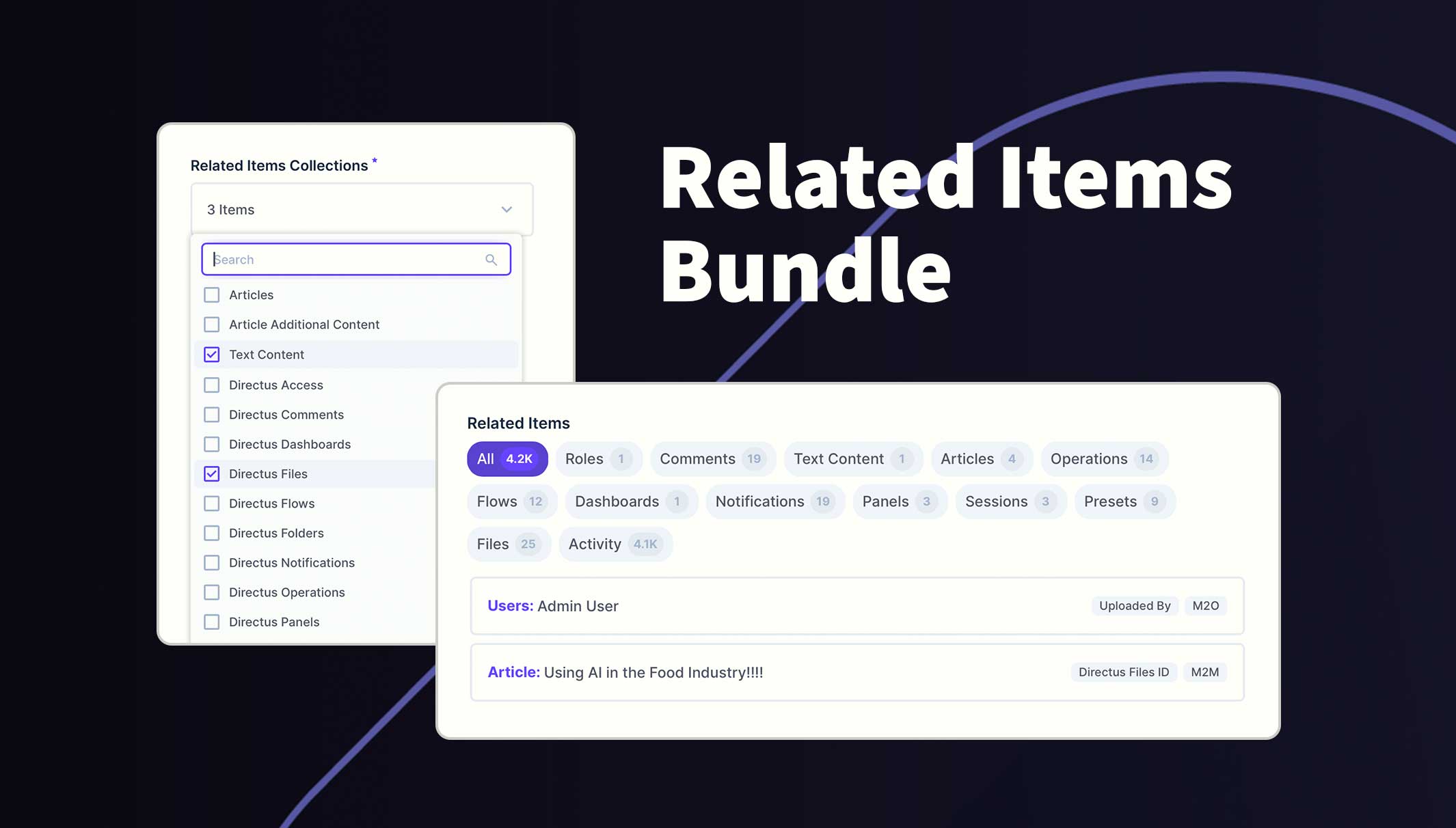
You can include system collections such as Users and Files and benefit from seeing all the relations to other collections. For example, when viewing a file in the File Library, you will see what collections and items reference the file and know what will be impacted if it is edited or deleted.
Usage
Once installed and configured, visit an item for an included collection and scroll to the bottom of the page. By default, all related items are returned with pagination over 10 records. Use the collection filters at the top to easily see the related items in that collection.
Click on an item to open the draw for more information or make changes to that item. However, some system tables are not supported.
Requirements
- Directus 11.1.2+
- Admin user to initialize module
Installation
Refer to the Official Guide for details on installing the extension from the Marketplace or manually.
How to configure this module
- Using an Admin user, go to the project settings
/admin/settings/projectand scroll to the bottom - Click on the field labelled "Related Items Collections"
- Tick the collections to include from the dropdown field
- Save changes
When opening the project settings for the first time, the module will automatically add the new system field at the bottom of the page. Any selection of the collections will create a new alias field within that collection's Data model. The new interface can be repositioned or customized but any changes to these fields will be lost if you choose to exclude the collection in future. Admin permissions are required during these steps.
Permissions
This extension uses the current user's policy/role permissions and will only show the permitted data. Please refer to your Access Policies to ensure your users have required access.
API Reference
This bundle contains an endpoint extension. The data can be queried using the following endpoint:
GET /related-items/<collection>/<item_id>
The response will be an array of related collections and for each one, a secondary array of any related items from that collection. For example:
{
  "collection": "directus_files",
  "fields": [
    "directus_files_id.id",
    "directus_files_id.title",
    "directus_files_id.type"
  ],
  "relation": "m2m",
  "translations": null,
  "field": "article_id",
  "junction_field": "directus_files_id",
  "primary_key": "id",
  "template": "{{ title }}",
  "items": [
    {
      "directus_files_id": {
        "id": "x0x1234x-5xx6-7890-x123-xxx4xx56789x",
        "title": "Annual Leave Policy",
        "type": "image/jpeg"
      }
    },
    {
      "directus_files_id": {
        "id": "x9x8765x-5xx6-7890-x123-xxx4xx56789x",
        "title": "Brand Guidelines",
        "type": "image/png"
      }
    }
  ]
}
Note: The fields and primary key can be used as context when processing the items or rendering an output.