

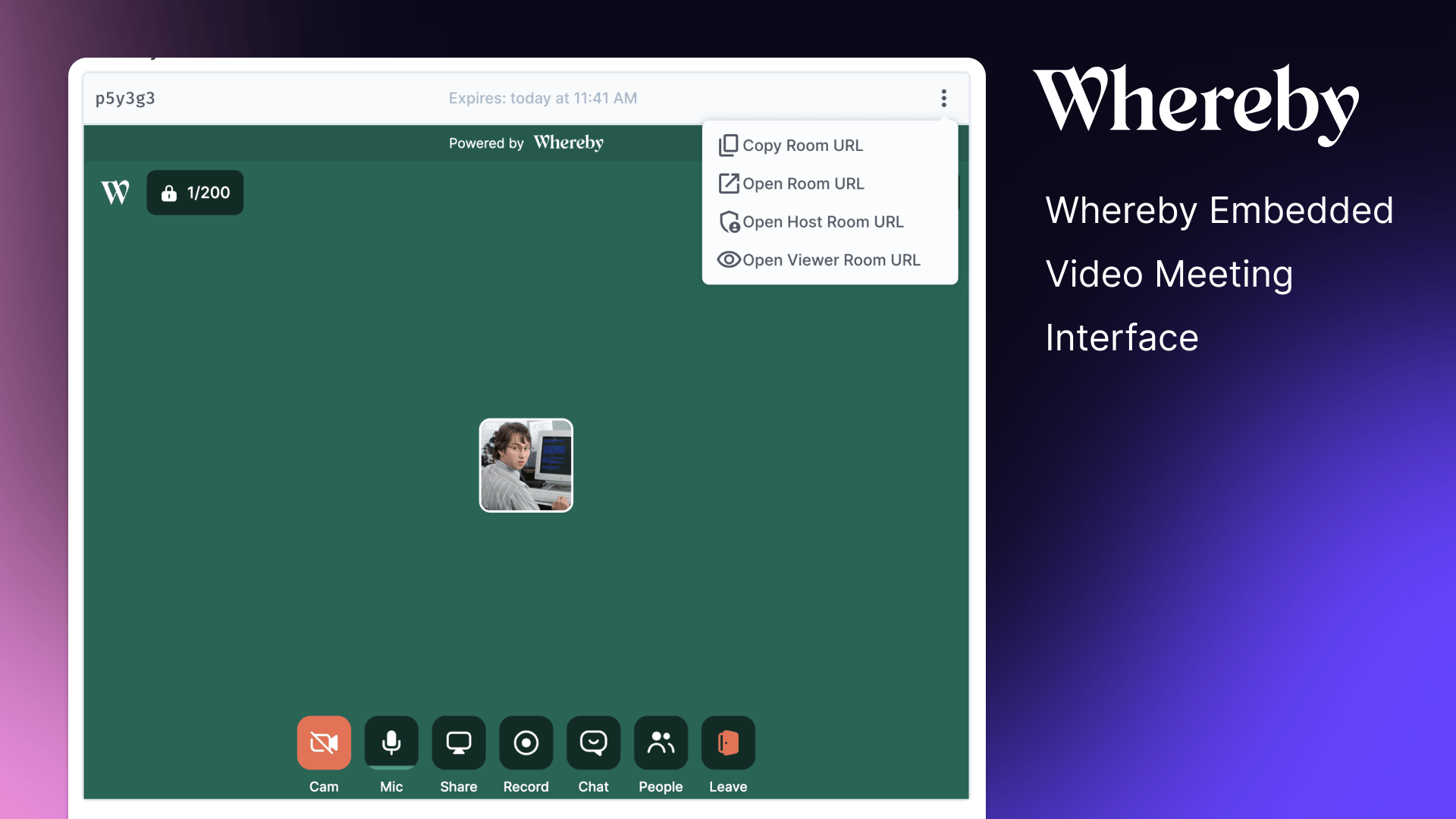
Whereby Embedded Interface for Directus
The Whereby Embedded Interface allows you to seamlessly integrate Whereby's video meeting capabilities directly into your Directus project.
You’ll need a Whereby Embedded account to use this interface. Learn more and sign up on their website at whereby.com
Features
- Manage Whereby video meetings from within Directus
- Display meeting room information
- Join meetings with a single click
- Support for host and viewer roles
- Expiration date handling
- Copy meeting URLs to clipboard
- Open meeting URLs in new tabs
Use Cases
- Virtual Team Meetings: Host team meetings directly from your Directus project management interface.
- Customer Support: Provide face-to-face support sessions integrated with your customer data.
- Online Interviews: Conduct job interviews with candidates, with all relevant information at your fingertips.
- Remote Consultations: Ideal for healthcare, legal, or other professional services requiring secure video meetings.
- Educational Sessions: Host classes or tutoring sessions linked to student records in Directus.
Installation & Setup
To install the extension, take a look at the Official Guide.
To enable the Whereby interface to work, you’ll need to update your CSP directives within your Directus Config as follows:
CONTENT_SECURITY_POLICY_DIRECTIVES__FRAME_SRC="https://*.whereby.com"
CONTENT_SECURITY_POLICY_DIRECTIVES__SCRIPT_SRC="array:'self', https://*.whereby.com 'unsafe-eval' 'unsafe-inline'"
CONTENT_SECURITY_POLICY_DIRECTIVES__CONNECT_SRC="'self' https://*.whereby.com https://api.whereby.dev wss://*.whereby.com"
CONTENT_SECURITY_POLICY_DIRECTIVES__IMG_SRC="'self' data: blob: https://*.whereby.com"
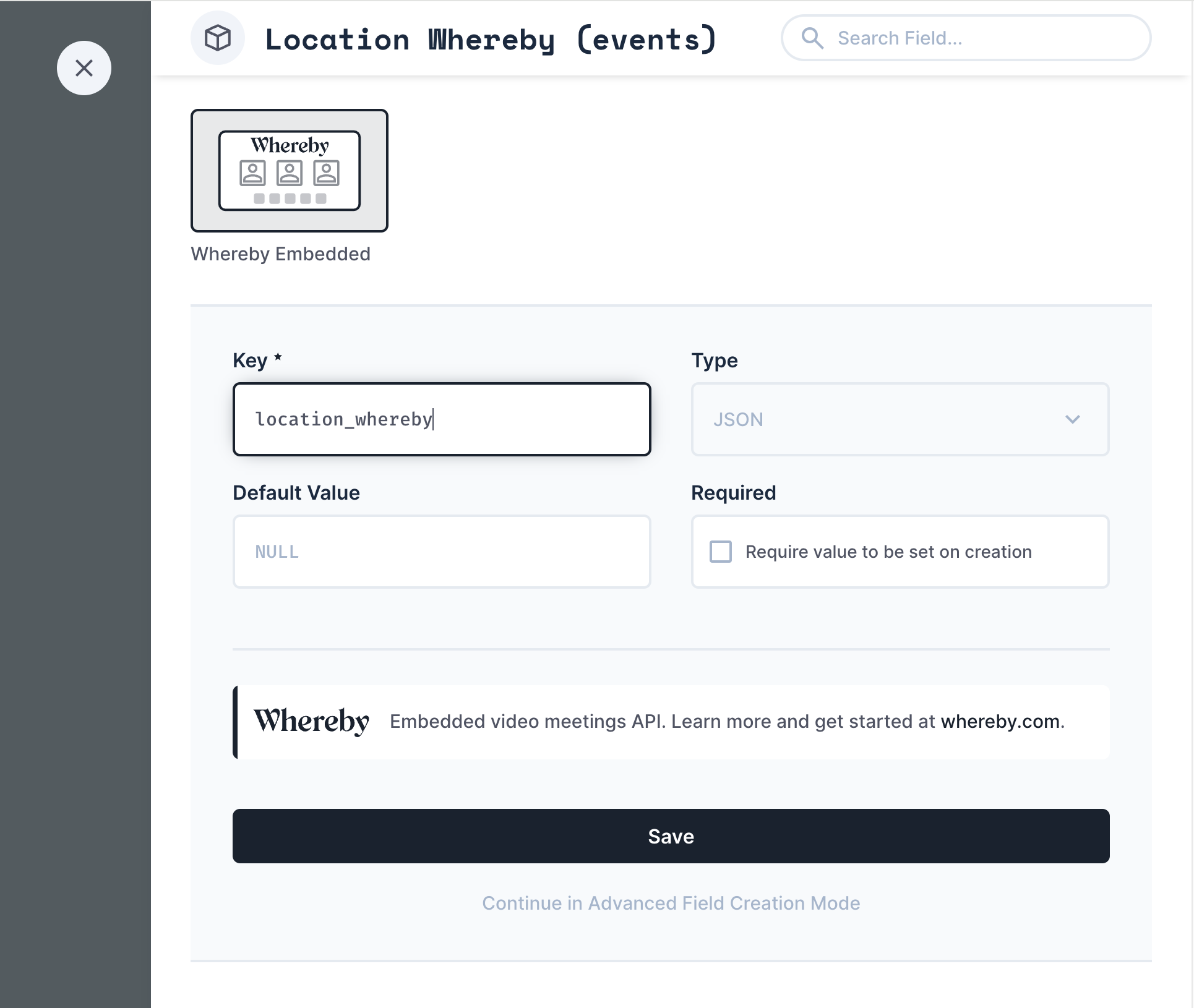
- Install the Whereby Embedded Interface extension in your Directus project.
- Create a field in your desired collection with the type "JSON".
- Set the interface for this field to "Whereby Embedded".
- Ensure the Whereby room data is populated in the JSON field (see Whereby Room Data Structure below).
Whereby Room Data Structure
The interface expects the following JSON structure for the Whereby room data:
{
  "startDate": "2024-08-29T14:00:00.000Z",
  "endDate": "2024-08-29T15:00:00.000Z",
  "roomName": "Your Meeting Room",
  "roomUrl": "https://whereby.com/your-room-url",
  "meetingId": "meeting-id-123",
  "hostRoomUrl": "https://whereby.com/your-host-room-url",
  "viewerRoomUrl": "https://whereby.com/your-viewer-room-url"
}
Populating Whereby Room Data
There are multiple ways to populate the Whereby room data in your Directus instance. One recommended approach is to use Directus flows:
-
Create a flow that triggers when an item is created or updated.
-
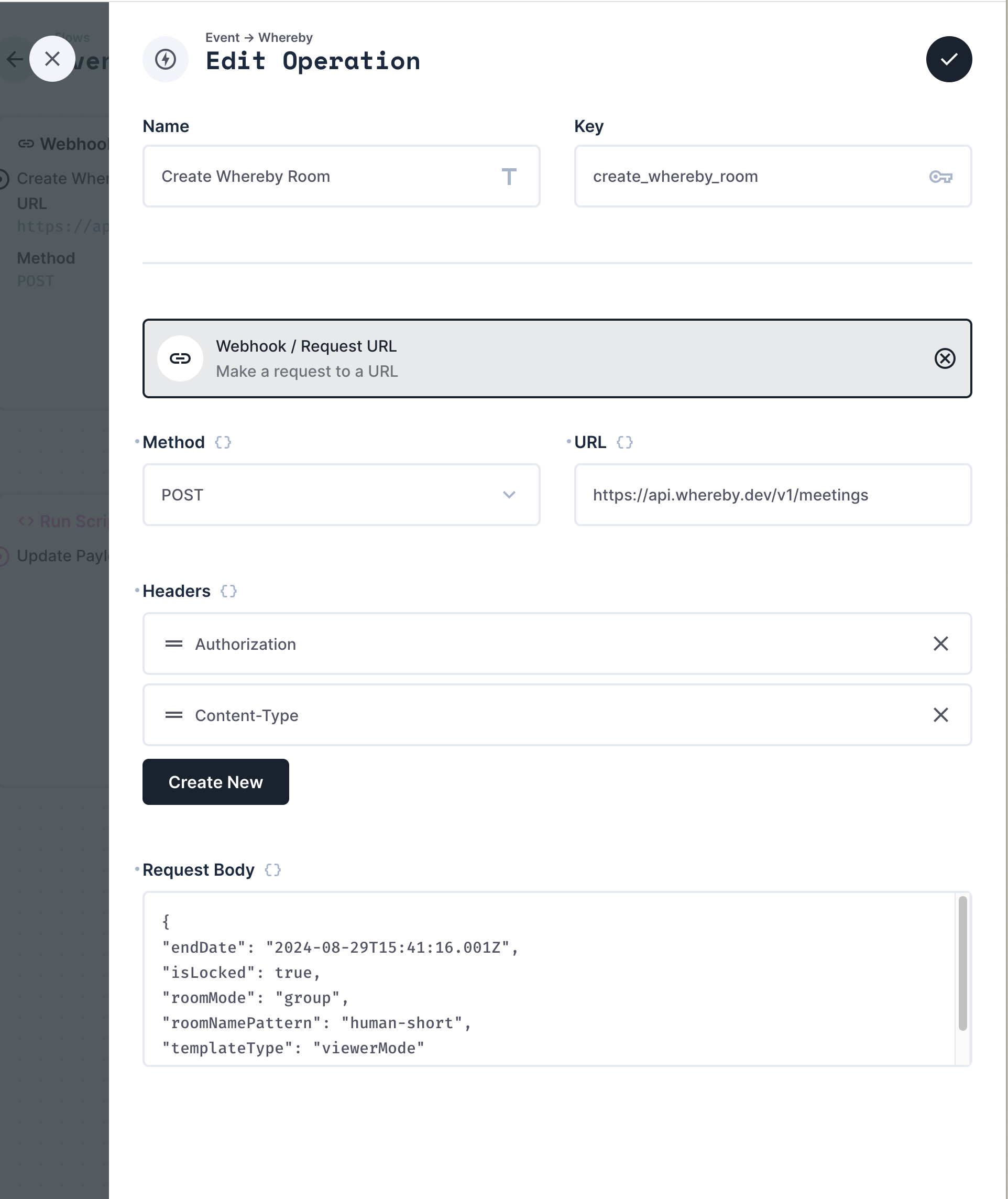
Use the Webhook / Request URL operation to call the Whereby API and create a room.
That operation may look something like this.
-
Update the item data with the Whereby room information.
This is just one possible method. You can also use custom API endpoints, hooks, or other integration methods depending on your specific needs and infrastructure.
Review the Whereby REST API Reference for more information
Customizing Rooms
Whereby has a lot of customization available.
You can customize the default backgrounds, logos, and primary colors from within the Whereby Dashboard:
- Log into your Whereby account and navigate to the room settings.
- Look for the "Customize room" or "Theme" section.
- Choose from the available default themes provided by Whereby.
- Apply the selected theme to see immediate changes in your room's appearance.
Or you can also use the Whereby API to programmatically update room themes.
Security Considerations
- Keep your Whereby API key secure.
- Use Directus roles and permissions to control access to the Whereby interface and associated data.
- Ensure that your Whereby room settings align with your organization's security policies.