
Learn more about our ✨ new ✨ native MCP
Directus Logo
  • Use Cases and Features
    • Headless CMS
      Manage and deliver content with ease
    • Backend-as-a-Service
      Build and ship applications faster
    • Headless Commerce
      A single source of truth for products
    • 100+ More Use Cases
      Build anything (or everything)
    • Instant APIs
      Connect a database, get REST + GraphQL APIs
    • Granular Policy-Based Auth
      Provide secure, autonomous data access
    • Visual Automation Builder
      Automate content and data workflows with ease
    • 50+ More Features
      Get everything you need out-of-the-box
    Project Showcase
    Built With Directus

    Built With Directus

    See what everyone's been building with Directus

  • Learn More
    • Blog
      Read our latest articles and guides
    • Case Studies
      Case studies and success stories
    • Community
      Join our new community forum.
    • Agency Directory
      Browse our list of agency partners
    • About Us
      Learn more about Directus and the team
    • Wall of Love
      See what others are saying about us
    • Contact
      Have a general inquiry or question for us?
    • Support
      Reach out to Directus support
    Watch Directus TV
    Directus TV
    Video

    Directus TV

    Go down the rabbit hole with hours of original video content from our team.

  • Developers
  • Enterprise
  • Pricing
Book a DemoGet StartedLog In
GitHub logo33,633
Directus Marketplace
Marketplace
  1. Extensions
  2. Integrations
  3. Templates
Back to Extensions
interface

Tour Group Interface

Create an interactive tour for your form.

Tour Group Interface

Create an interactive tour for your form.

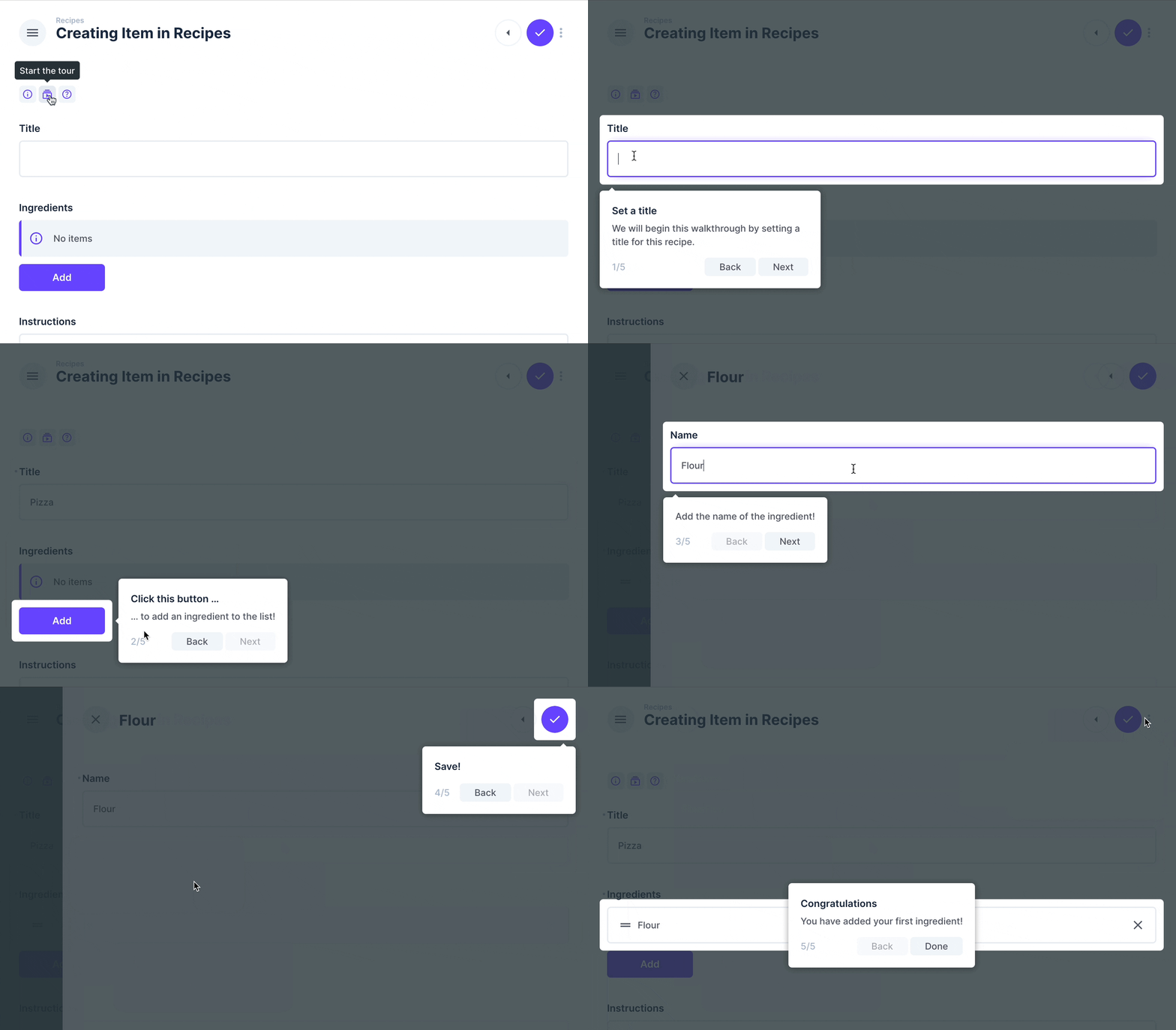
Demo of the Tour Group Interface

Installation

Refer to the Official Guide for details on installing the extension from the Marketplace or manually.

Usage

This interface creates an interactive walkthrough for your form/item view.

In the settings, you can define each step of your interactive tour, as well as some customization options. The latter are useful for differentiation when using multiple tours within the same page.
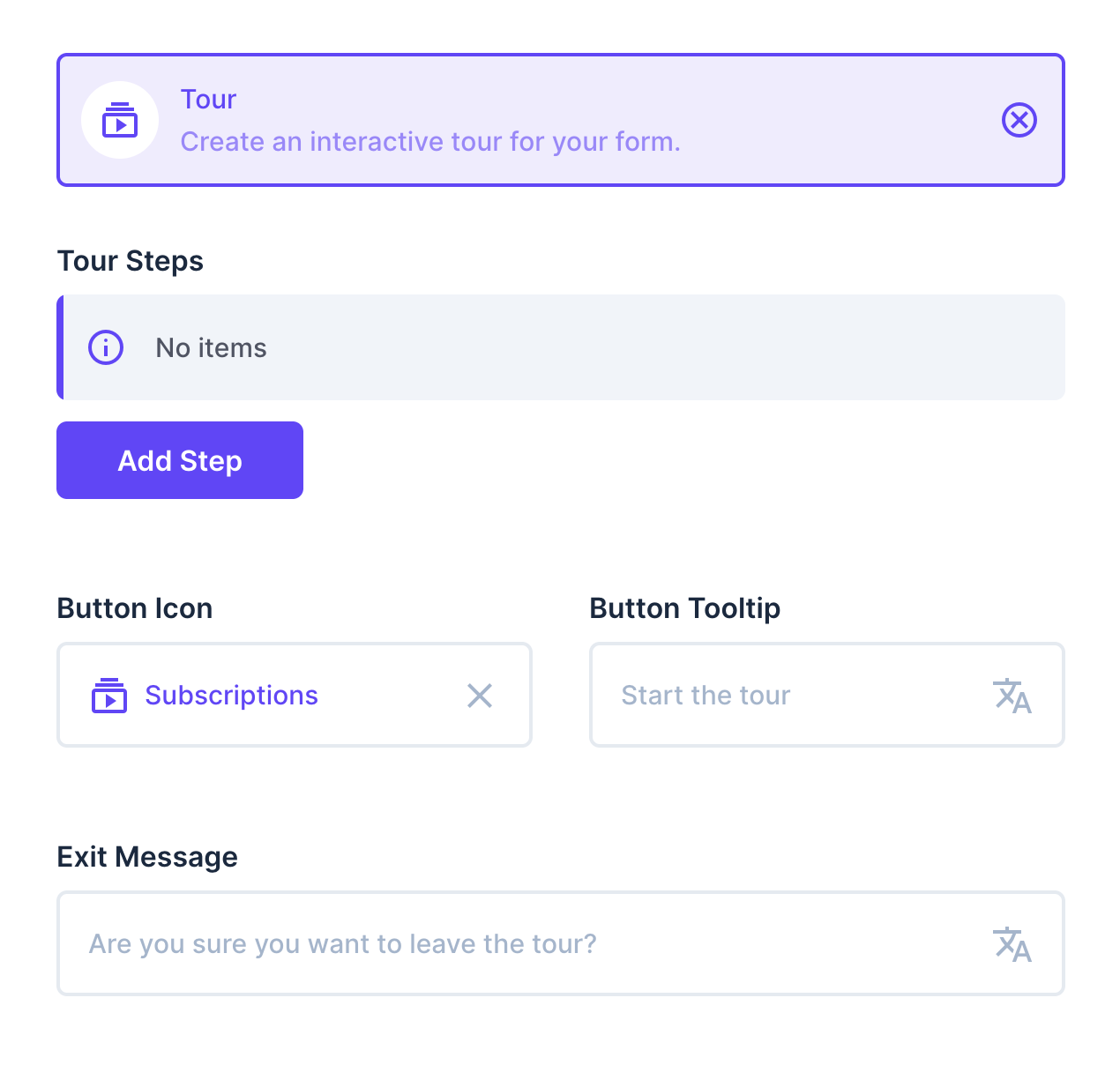
Interface settings of the Tour Group Interface

Since this is a group interface, you can wrap fields with it. The group interface tries to inject classes into these fields, so that you can easily select them for your interactive tour.

For example, if you wrap a field called title with the tour group, it will try to inject both the .tour-input-title and .tour-field-title classes. Use your browser to inspect which classes are available for your fields to use as selectors.

Adding a step for your tour

After clicking the Add Step button in the interface settings, you can set up your tour step. The Element field requires a selector that targets an element you want to focus on with this tour step. Basically, you can choose any selector as long as it exists on the page where the tour is running.

At the bottom of your tour step settings, you will find the class names that the interface tries to add to the fields within this group.

Specify a Title and/or a Description to appear in the tour step popup, whose position you can adjust using the Position Side and Position Alignment options.

The Force Click and Prevent Back Navigation settings help you implement common use cases, such as when you want the interactive tour to continue only after a button is clicked, and because it may opens a modal, you should not be able to navigate back, when you reach that step.
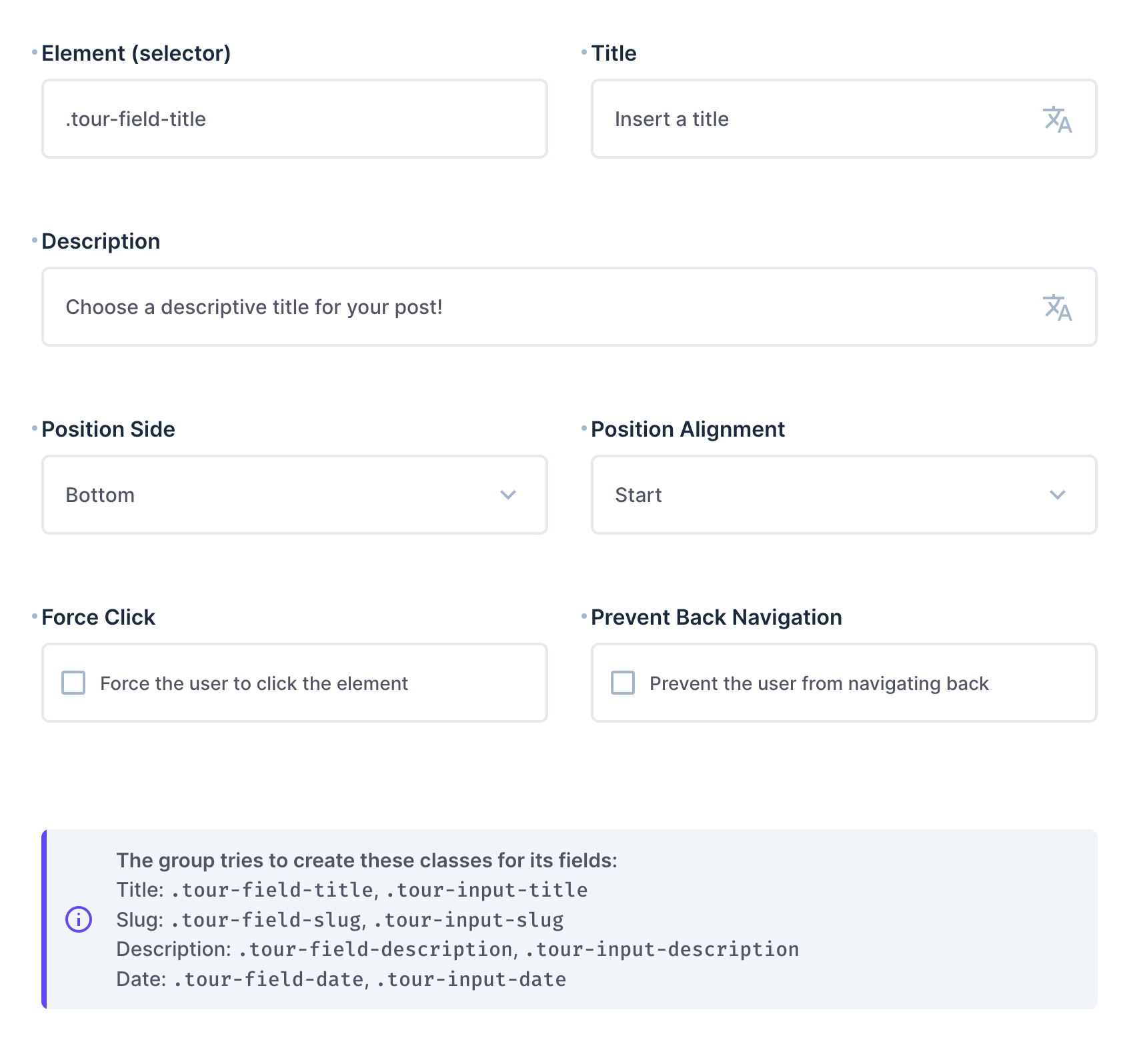
Tour Step Settings

Tip: If you don’t add a tour step, the group interface will still try to inject the classes as described above. This means that you can use this interface for this purpose only.

@directus-labs/tour-group-interface

npm i @directus-labs/tour-group-interface
This extension is sandboxed and can be installed through the Directus Marketplace. Learn more.
Kevin Lewis
Kevin Lewis
Verified
1.0.0
Works with v10.0.0+ or v11.0.0+
Updated 1 year ago
MIT License
37.7 KiB (3 files)
npm
  • Directus LogoDirectus Logo

    A composable backend to build your Headless CMS, BaaS, and more. 

  • Solutions
    • Headless CMS
    • Backend-as-a-Service
    • Product Information
    • 100+ Things to Build
  • Resources
    • Documentation
    • Guides
    • Community
    • Release Notes
  • Support
    • Issue Tracker
    • Feature Requests
    • Community Chat
    • Cloud Dashboard
  • Organization
    • About
    • Careers
    • Brand Assets
    • Contact
©2025 Monospace Inc
  • Cloud Policies
  • License
  • Terms
  • Privacy