Learn more about our native MCP
Directus Logo
  • Use Cases and Features
    • Headless CMS
      Manage and deliver content with ease
    • Backend-as-a-Service
      Build and ship applications faster
    • Headless Commerce
      A single source of truth for products
    • 100+ More Use Cases
      Build anything (or everything)
    • Instant APIs
      Connect a database, get REST + GraphQL APIs
    • Granular Policy-Based Auth
      Provide secure, autonomous data access
    • Visual Automation Builder
      Automate content and data workflows with ease
    • 50+ More Features
      Get everything you need out-of-the-box
    Project Showcase
    Built With Directus

    Built With Directus

    See what everyone's been building with Directus

  • Learn More
    • Blog
      Read our latest articles and guides
    • Case Studies
      Case studies and success stories
    • Community Forum
      Questions and conversations
    • Agency Directory
      Browse our list of agency partners
    • About Us
      Learn more about Directus and the team
    • Wall of Love
      See what others are saying about us
    • Contact
      Have a general inquiry or question for us?
    • Support
      Reach out to Directus support
    Watch Directus TV
    Directus TV
    Video

    Directus TV

    Go down the rabbit hole with hours of original video content from our team.

  • Developers
  • Enterprise
  • Pricing
Book a DemoGet StartedLog In
GitHub logo34,607
Directus Marketplace
Marketplace
  1. Extensions
  2. Integrations
  3. Templates
Back to Extensions
panel

Timeline Chart Panel

View timelines for various items in Directus

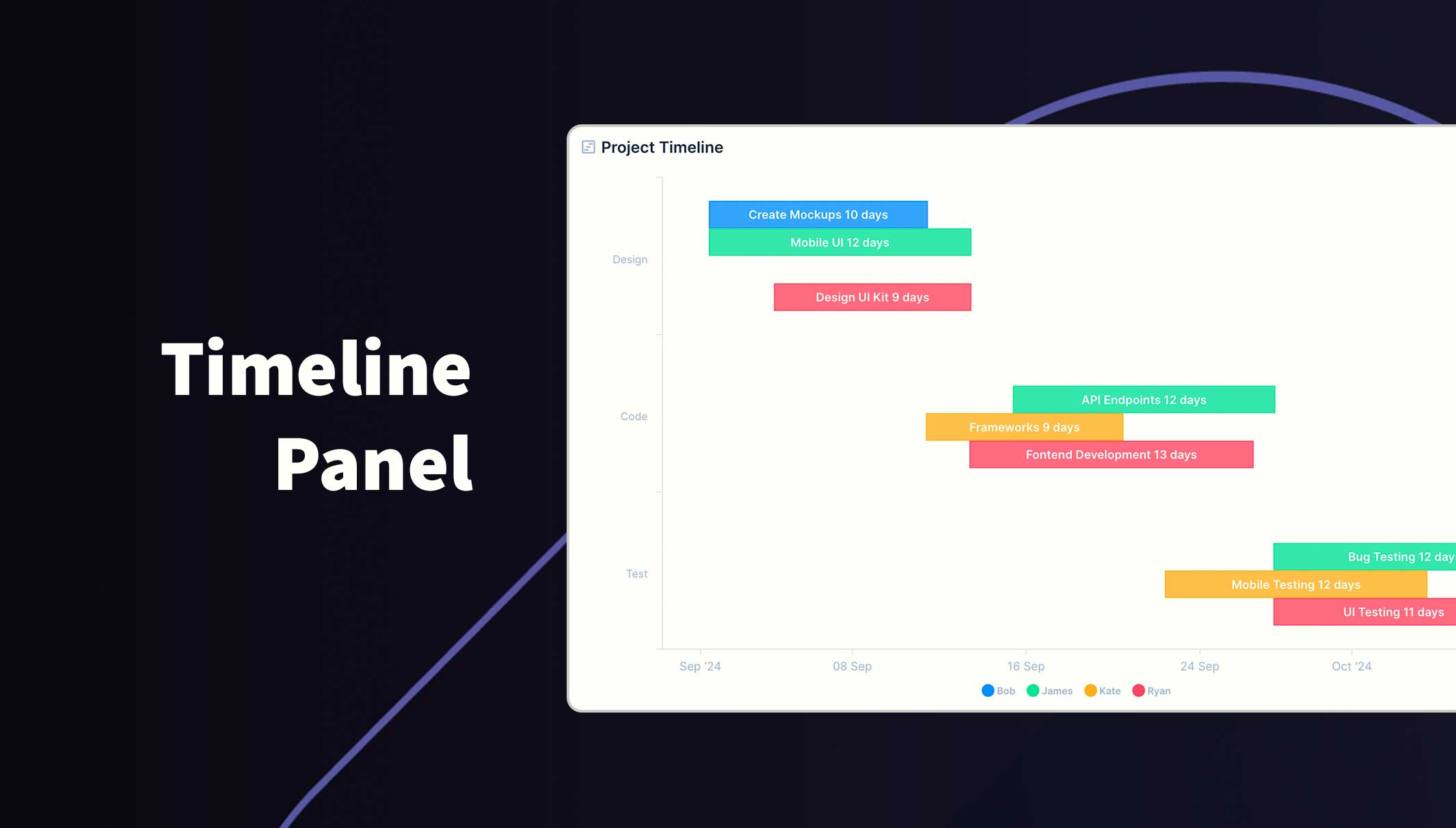
Directus Timeline Chart Panel

Present a series of tasks or events with a start and end date on a graph. You can also group data into categories on the y axis and seperate tasks into different colors.

Timeline Chart Panel

Usage

The graph will be rendered within the new panel. While small, the graph won't show legends or labels. Hover over data points to reveal the value (if enabled).

If you choose to split the task/event into different series, a legend will appear at the bottom. Hover over a series in the legend to highlight all data for that series. You can also toggle which series are visible by clicking the series label in the legend.

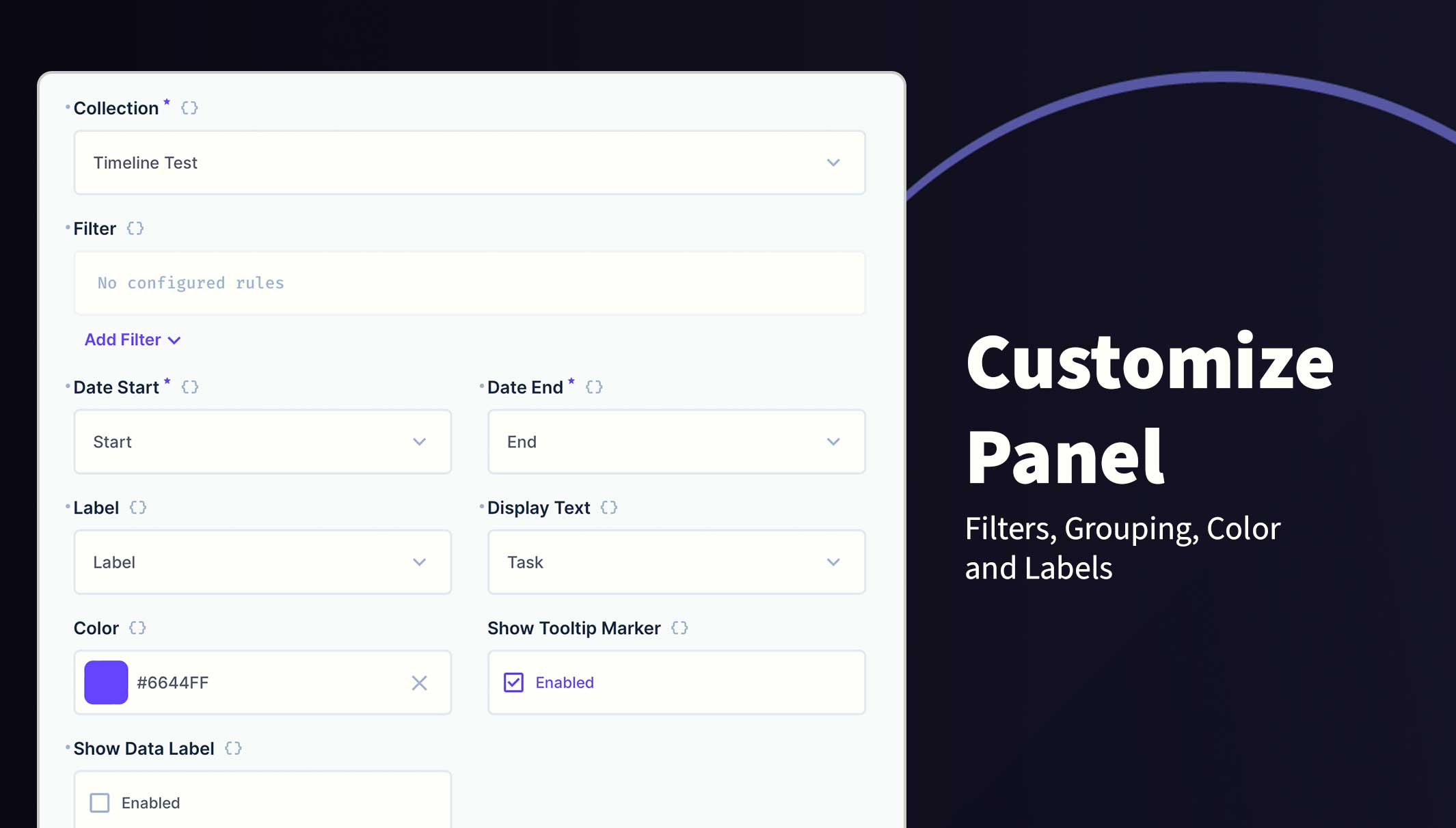
You can change the following options:

  • Collection Selection
  • Filters
  • Y Label
  • Start and End Dates
  • Display Text on the task/event
  • Grouping
  • Color
  • Hide/Show Tooltips
  • Data Labels

Requirements

  • Directus 10.10.0+
  • DateTime, Date or Timestamp field for Date Start and Date End fields
  • String field for Y Axis Labels
  • Fields must be in the same table

Example

Label Start End User Task
Design 2024-09-02 2024-09-12 Brian UI Mockup
Design 2024-09-08 2024-09-16 Sarah DB Schema Design
Code 2024-09-19 2024-10-08 Michelle Frontend Development
Code 2024-09-14 2024-10-12 Robert Core Development
Test 2024-10-20 2024-10-31 Ben Frontend Testing
Test 2024-10-18 2024-10-26 Kate Cybersecurity Testing

Installation

Refer to the Official Guide for details on installing the extension from the Marketplace or manually.

How to add this Panel

  1. Create a new Panel and select Timeline Chart from the list
  2. Choose the collection and the fields to use for the Label, Start and End Dates
  3. (Optional) Filter the data to your scope
  4. (Optional) Select the field to Group data into series
  5. (Optional) Select the field for the Task/Event names
  6. (Optional) Use the header to create a name for this panel
  7. Save the panel and position/resize as required
  8. Save the dashboard

Customise the panel

Permissions

This extension uses the current session permissions and will only show the permitted data.

@directus-labs/timeline-chart-panel

npm i @directus-labs/timeline-chart-panel
This extension is sandboxed and can be installed through the Directus Marketplace.
Kevin Lewis
Kevin Lewis
Verified
1.0.0
Works with v10.0.0+ or v11.0.0+
Updated 1 year ago
628.8 KiB (3 files)
npm
  • Directus LogoDirectus Logo

    A composable backend to build your Headless CMS, BaaS, and more. 

  • Solutions
    • Headless CMS
    • Backend-as-a-Service
    • Product Information
    • 100+ Things to Build
  • Resources
    • Documentation
    • Guides
    • Community
    • Release Notes
  • Support
    • Issue Tracker
    • Feature Requests
    • Community Chat
    • Cloud Dashboard
  • Organization
    • About
    • Careers
    • Brand Assets
    • Contact
©2026 Monospace Inc
  • Cloud Policies
  • License
  • Terms
  • Privacy