

HubSpot API Operation
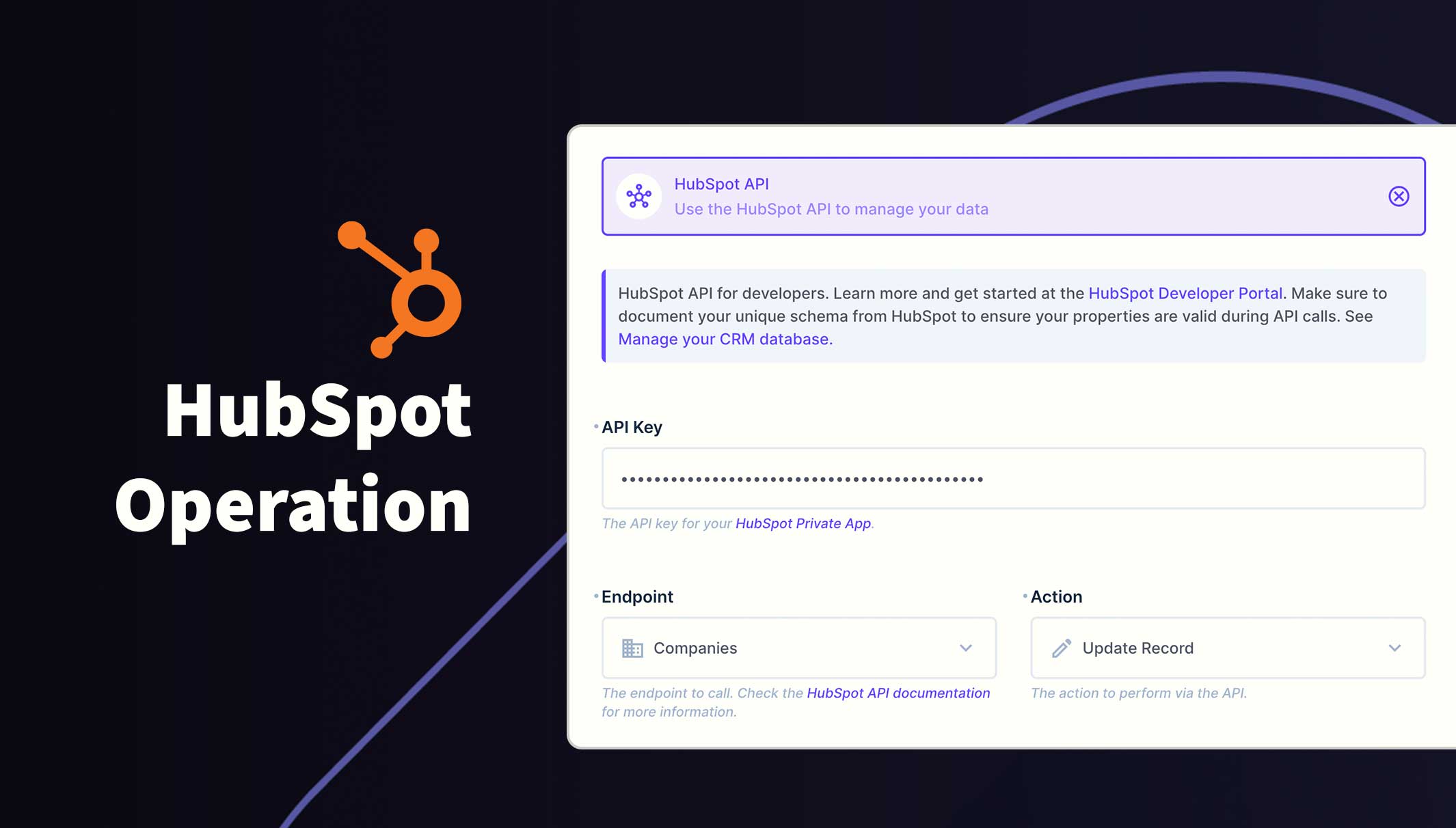
The HubSpot Operation allows you to integrate their API into Directus flows.
Endpoints
/account-info/v3/activity/audit-logs/account-info/v3/activity/login/account-info/v3/activity/security/crm/v3/objects/contacts/crm/v3/objects/communications/crm/v3/objects/companies/crm/v3/objects/contacts/crm/v3/objects/deals/crm/v3/objects/email/crm/v3/objects/leads/crm/v3/objects/meetings/crm/v3/objects/notes/crm/v3/objects/products/crm/v3/objects/tasks/crm/v3/objects/tickets
Usage
- Obtain an API Access Token from HubSpot. See HubSpot Private App for instructions.
- In your Directus flow, create a new operation and choose HubSpot API from the list.
- Copy and paste the API Access token from HubSpot into the required field. It's worth noting the token somewhere safe because you will need it when creating more HubSpot operations.
- Choose a endpoint to use from the dropdown list
- Choose and action to perform. The Actions dropdown list will update with the available actions for the selected endpoint.
- New fields will appear relevant to the action. Populate these fields as needed.
Requirements
- Directus 10.10.0+
- HubSpot Account (Free or Paid)
- Private App Access Token
Installation
Refer to the Official Guide for details on installing the extension from the Marketplace or manually.
Permissions
This operation relies on the permissions of the API Access Token. Please make sure to assign the required permissions beforehand.
| Endpoint(s) | Scopes |
|---|---|
| Activity | account-info.security.read |
| Calls Communications Contacts Meetings Tasks |
crm.objects.contacts.readcrm.objects.contacts.write |
| Companies |
crm.objects.companies.readcrm.objects.companies.write |
| Email |
sales-email-read & crm.objects.contacts.readcrm.objects.contacts.write |
| Deals |
crm.objects.deals.readcrm.objects.deals.write |
| Leads |
crm.objects.leads.readcrm.objects.leads.write |
| Products | e-commerce |
| Tickets | tickets |
Fields
For more detailed information about the HubSpot API and its capabilities, please refer to the HubSpot API reference.
Associations
Associations represent the relationships between objects and activities in the HubSpot CRM. Record associations can exist between records of different objects (e.g., Contact to Company), as well as within the same object (e.g., Company to Company).
When creating a new item, you can also associate the item with existing records or activities by including an associations object. For example, to associate a new contact with an existing company and email, your request would look like the following:
association: [
  {
    "to": {
      "id": 123456  <--- ID of the existing item
    },
    "types": [
      {
        "associationCategory": "HUBSPOT_DEFINED",
        "associationTypeId": 279  <---- ID of the category
      }
    ]
  }
]
Properties
Use properties to store information on CRM records. HubSpot provides a set of default properties for each CRM object, and you can also create and manage your own custom properties in the HubSpot Data Model. Check out the properties guide in HubSpot's documentation and familiarize yourself with the default properties for each endpoint.
Be mindful that some properties have fixed values that are allowed. Make sure to use these values when creating or updating records.
{
  "firstname": "Jane",
  "surname": "Smith",
  "email": "j.smith@example.com"
}
ID Fields
The ID field is required when updating or deleted an item. This must be the ID of the item from HubSpot and can be fetched using the Read action or by saving the ID within Directus after creation.
List Fields
A comma seperated list of properties to return in the API response. Type the field and hit return to add the property.
Revision Fields
A comma separated list of the properties to be returned along with their history of previous values. If any of the specified properties are not present on the requested object(s), they will be ignored. Type the field and hit return to add the property.
Pagination Token
Also known as "after", this field is used for pagination of the results. You can retrieve the paging cursor token from the previous API request on the same endpoint. The response looks like this:
"paging": {
    "next": {
      "after": "123456789",
      "link": "https://api.hubapi.com/crm/v3/objects/contacts?limit=10&properties=firstname%2Csurname%2Cemail&after=123456789"
    }
  }
Note: paging will be absent if there are less results on the current page than the limit
Limit
By default this is set to 10 entries. Change this value to retrieve more or less results.
Sort
Specifiy a field to sort the results by.
Occurred After and Occurred Before
The Activity endpoint has an additional datetime field. This will limit the scope of the query to the specified timeframe. Leaving these blank will default to the most recent activity.
Webhooks
HubSpot offer a Webhook as part of the private app which can be linked to a Directus webhook flow for a more circular workflow.
Security Considerations
- Keep your HubSpot API access key secure and never expose it in client-side code.
- Use Directus roles and permissions to control access to this operation.
- Be cautious when dealing with sensitive user data.
- Consider rotating the API access key to maintain security.
Error Handling
The operation will throw an error if the API returns an error response. Make sure to handle these errors appropriately in your flows.
Detailed Error responses can be found in the HubSpot private app details and within the Directus Flow log.