
Learn more about our native MCP
Directus Logo
  • Use Cases and Features
    • Headless CMS
      Manage and deliver content with ease
    • Backend-as-a-Service
      Build and ship applications faster
    • Headless Commerce
      A single source of truth for products
    • 100+ More Use Cases
      Build anything (or everything)
    • Instant APIs
      Connect a database, get REST + GraphQL APIs
    • Granular Policy-Based Auth
      Provide secure, autonomous data access
    • Visual Automation Builder
      Automate content and data workflows with ease
    • 50+ More Features
      Get everything you need out-of-the-box
    Project Showcase
    Built With Directus

    Built With Directus

    See what everyone's been building with Directus

  • Learn More
    • Blog
      Read our latest articles and guides
    • Case Studies
      Case studies and success stories
    • Community Forum
      Questions and conversations
    • Agency Directory
      Browse our list of agency partners
    • About Us
      Learn more about Directus and the team
    • Wall of Love
      See what others are saying about us
    • Contact
      Have a general inquiry or question for us?
    • Support
      Reach out to Directus support
    Watch Directus TV
    Directus TV
    Video

    Directus TV

    Go down the rabbit hole with hours of original video content from our team.

  • Developers
  • Enterprise
  • Pricing
Book a DemoGet StartedLog In
Directus Marketplace
Marketplace
  1. Extensions
  2. Integrations
  3. Templates
Back to Extensions
module

Field Comments

Write comments at the field level

Directus Field Comments

Leave comments on individual fields

Field Comments

Usage

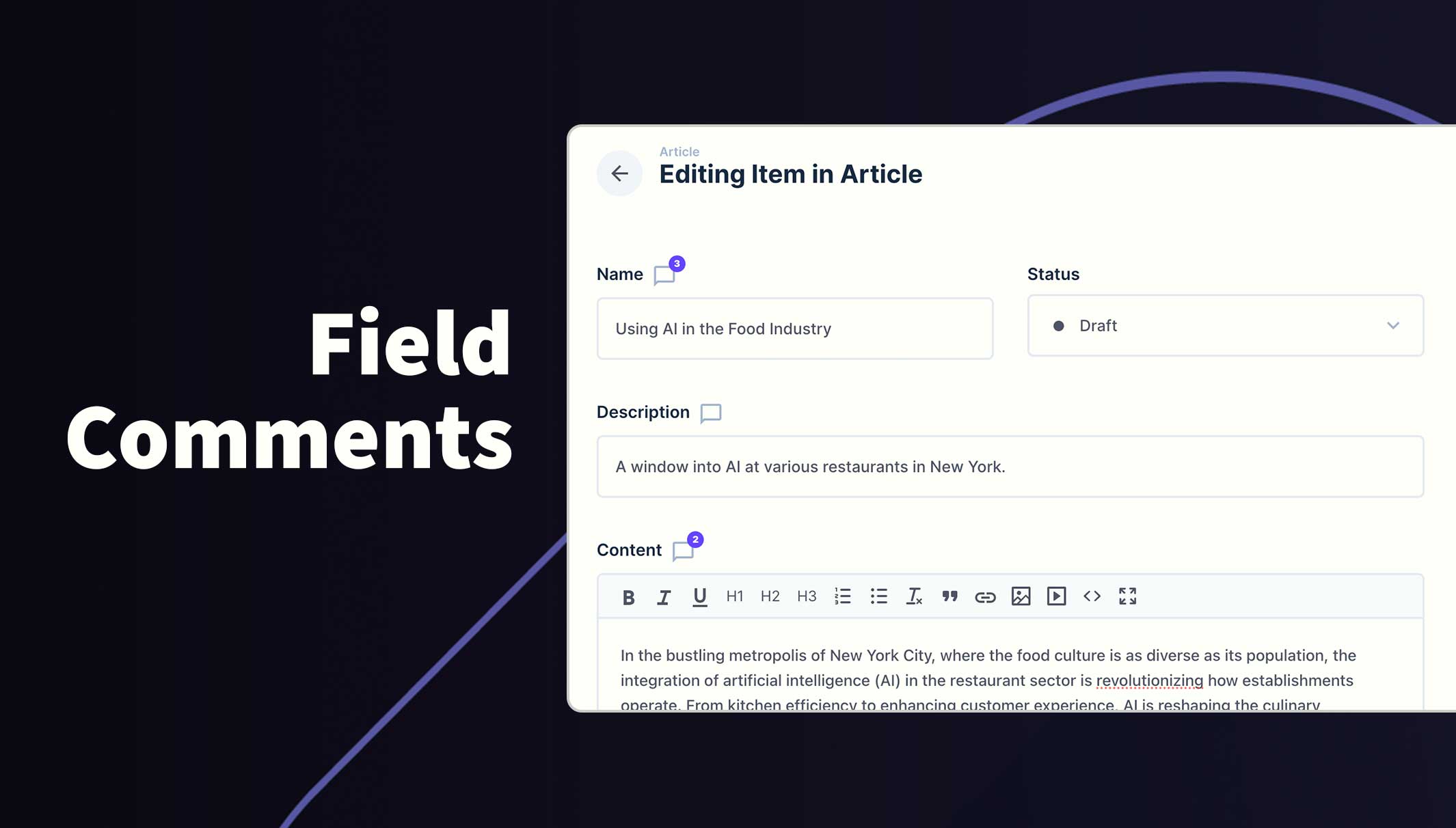
Once installed and configured, all included fields will show the comment icon next to the field label to identify which fields can accept comments. A badge will appear on this icon when comments have been left for that field.

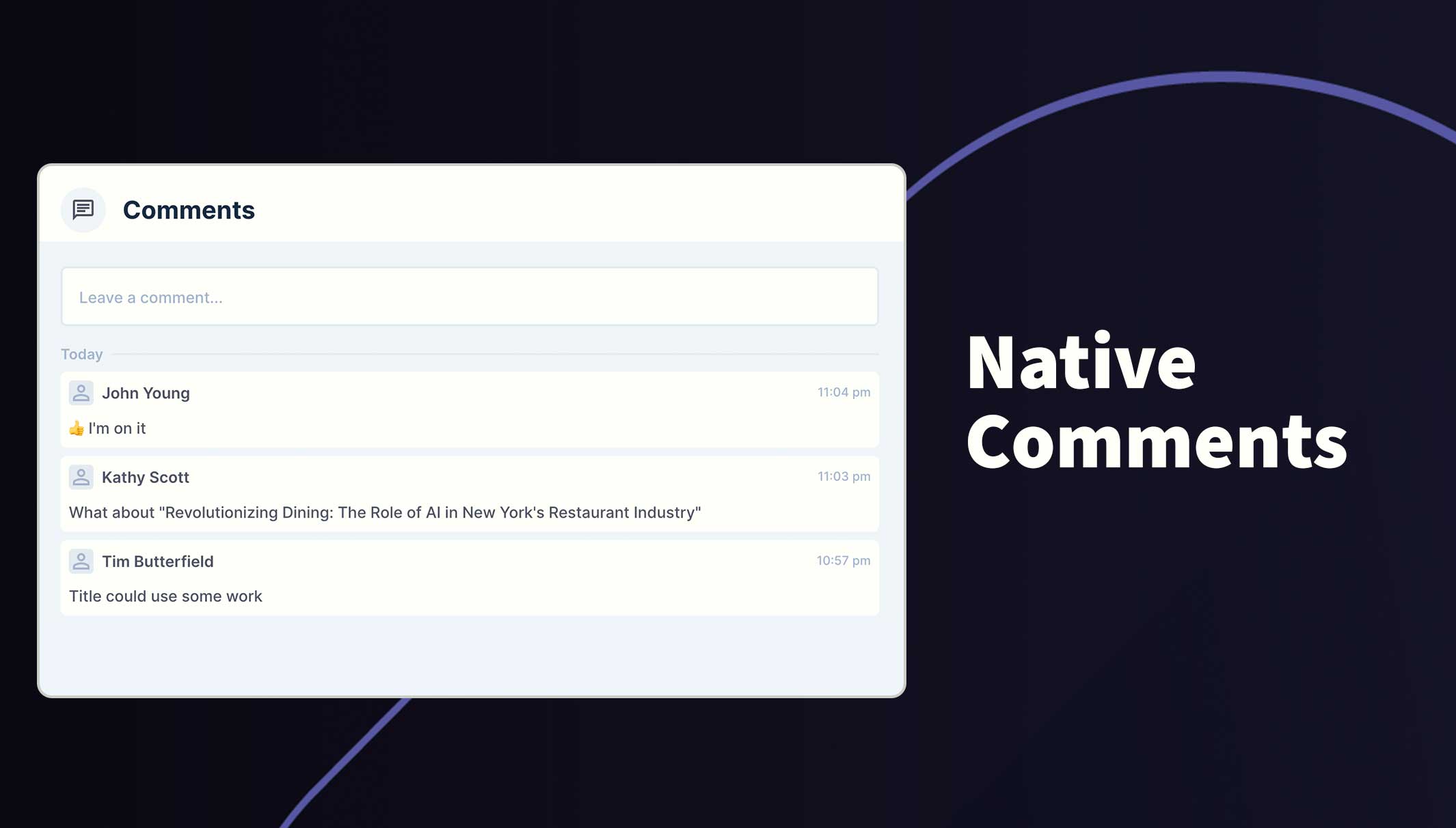
Click on this icon to open the comments feed where you can read through the comments or leave a new comment of you own. You can use the @ symbol to tag and notify other users and also use emojis.

Please note, comments do not appear when creating a new item. It must be saved first, before comments can be added.
Field Comments

Requirements

  • Directus 11.1.2+
  • Admin user to initialize module
  • Permissions added to the new system table for participants

Installation

Refer to the Official Guide for details on installing the extension from the Marketplace or manually.

How to configure this module

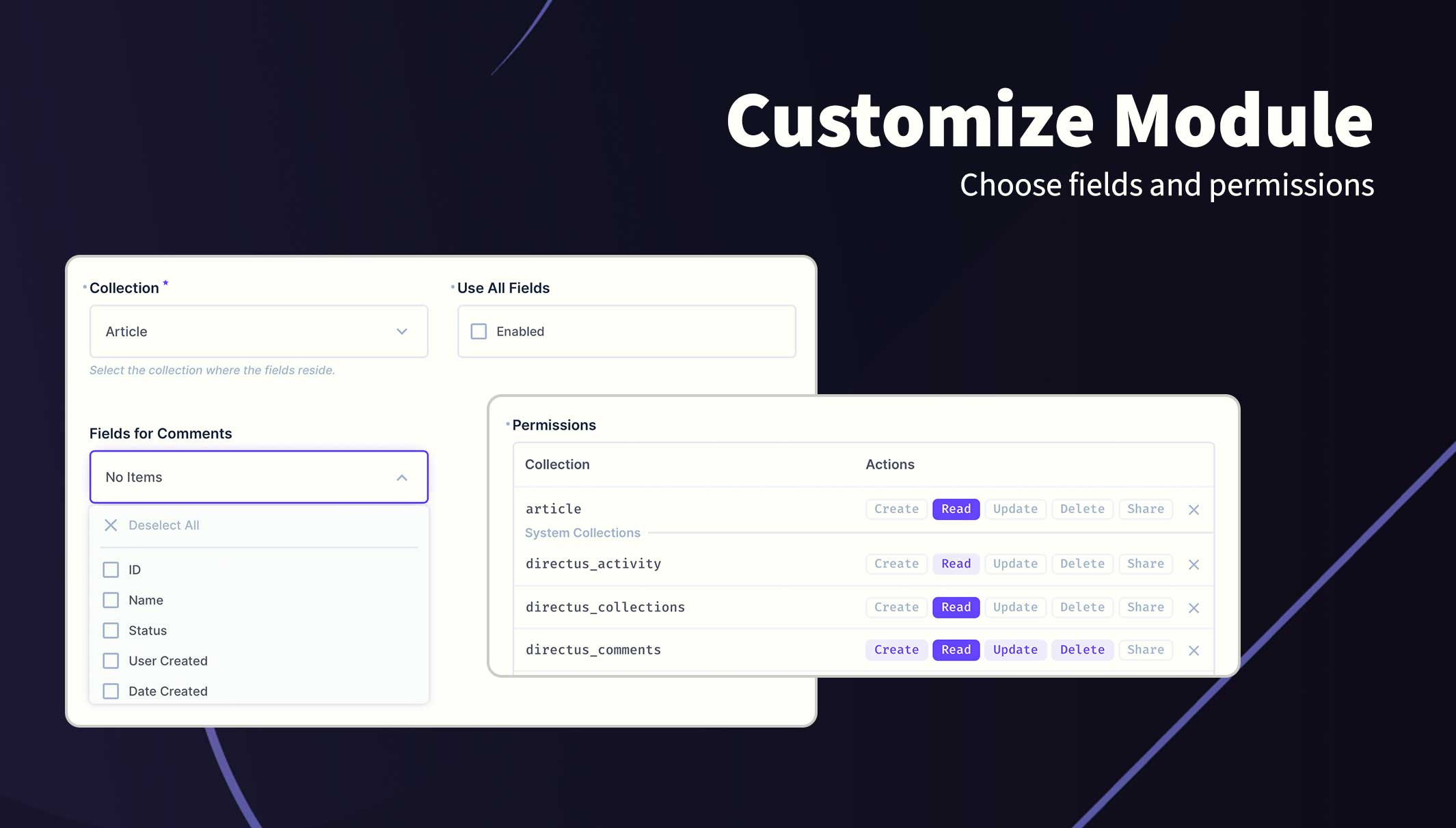
  1. Go to the project settings /admin/settings/project and scroll to the bottom
  2. Click Add Collection
  3. Choose a collection from the dropdown field
  4. Save changes
  5. Open the Access Policies and configure permissions for directus_comments. See Permissions section below.

When opening the project settings for the first time, the module will automatically add the new field at the bottom of the page and create the required system fields. Admin permissions are required during this step.
Customise the module

Permissions

This extension uses the current user's policy/role permissions and will only show the permitted data. Please refer to your Access Policies to ensure your users have required access.

Recommended Permissions

Collection create read update delete
directus_comments Full Full Custom* Custom*

(*) The custom update and delete has the following item permissions. It's important these settings as they prevent user's from updating or deleting comments of other users.

Item Permissions (Update & Delete)

{
    user_created: {
        "_eq": "$CURRENT_USER"
    }
}

Field Permissions (Update)

["comment","user_updated"]

@directus-labs/field-comments

npm i @directus-labs/field-comments
This extension is sandboxed and can be installed through the Directus Marketplace.
Bryant Gillespie
Bryant Gillespie
Verified
1.0.1
Works with v11.1.2+
Updated 1 month ago
MIT License
143.5 KiB (4 files)
npm
Repository
Report Issue
  • Directus LogoDirectus Logo

    A composable backend to build your Headless CMS, BaaS, and more. 

  • Solutions
    • Headless CMS
    • Backend-as-a-Service
    • Product Information
    • 100+ Things to Build
  • Resources
    • Documentation
    • Guides
    • Community
    • Release Notes
  • Support
    • Issue Tracker
    • Feature Requests
    • Community Chat
    • Cloud Dashboard
  • Organization
    • About
    • Careers
    • Brand Assets
    • Contact
©2026 Monospace Inc
  • Cloud Policies
  • License
  • Terms
  • Privacy