

AI Transcription Operation
Generate transcripts from audio files within Directus Flows with this custom operation, powered by Deepgram.
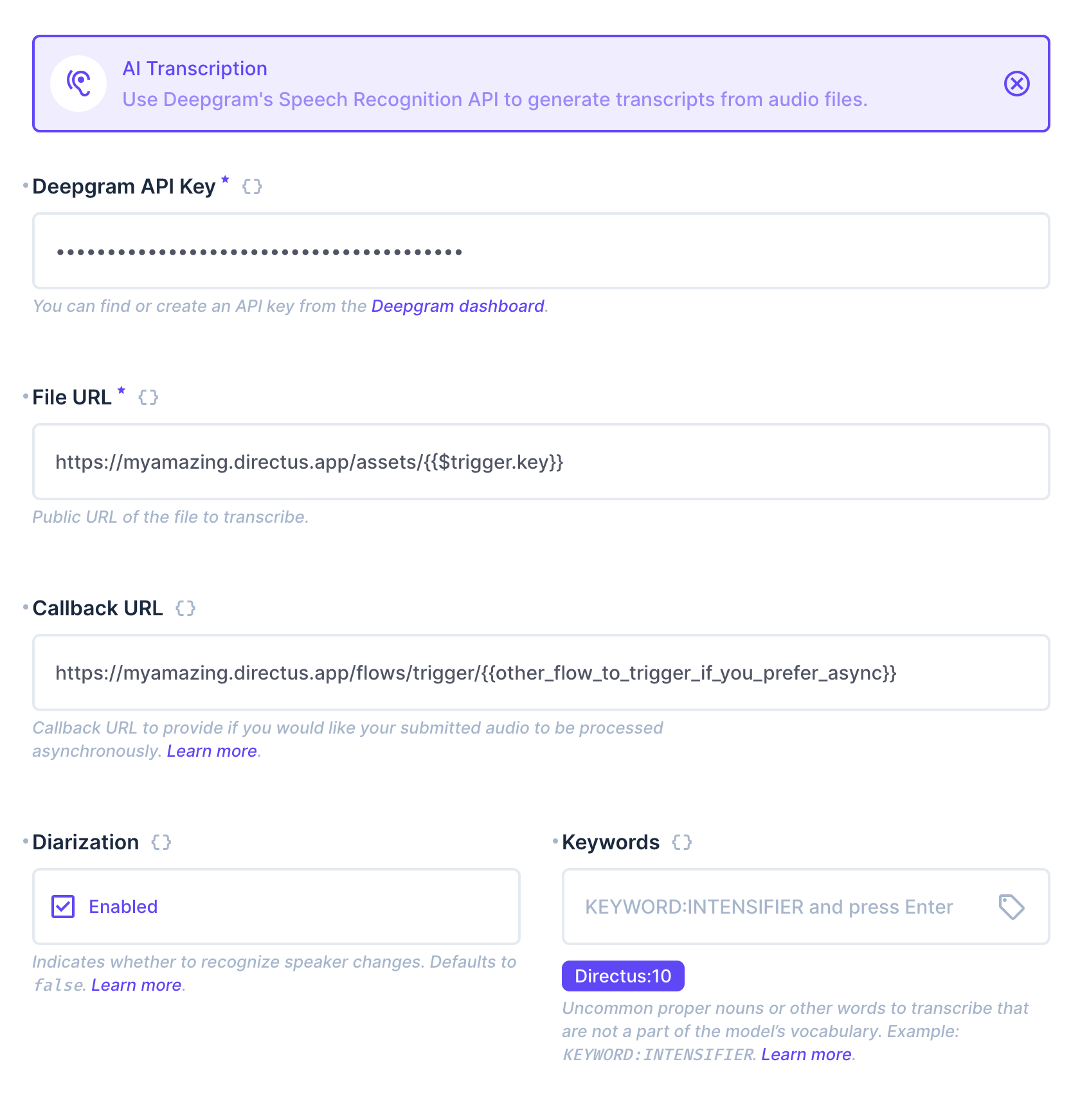
This operation contains the following configuration options:
Required
- Deepgram API Key
- File URL - public URL of the file to transcribe
Optional
- Callback URL - process the transcript asynchronously by providing a callback URL. The Deepgram API will make a POST request to this url once transcription is completed.
- Diarization - include speaker changes in the transcript.
- Keywords - Uncommon proper nouns or other words to transcribe that are not a part of the model’s vocabulary. These follow this format
keyword:intensifer.
If a Callback URL is NOT provided, the operation returns a JSON object containing the transcript, a breakdown of each word and timestamp, a paragraph-formatted transcript, and a breakdown of each paragraph and timestamp.
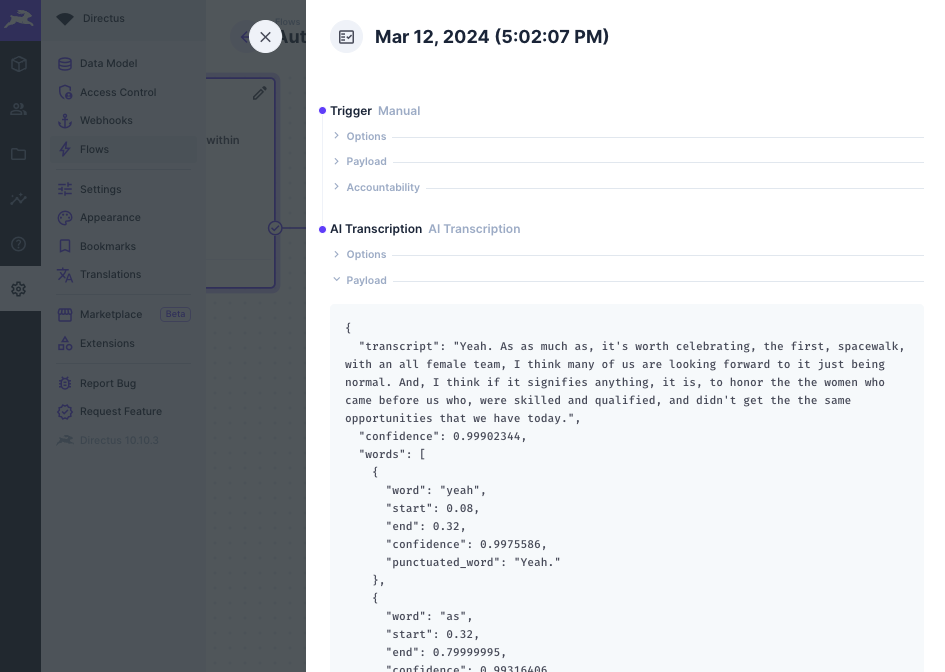
You can use the operation to then save the result to a file description or item, or run further automation on the output.
If a Callback URL is provided, the operation does not wait for the transcript to finish generation. It immediately returns a JSON object containing the request_id provided by the Deepgram API and a message confirming successful submission.
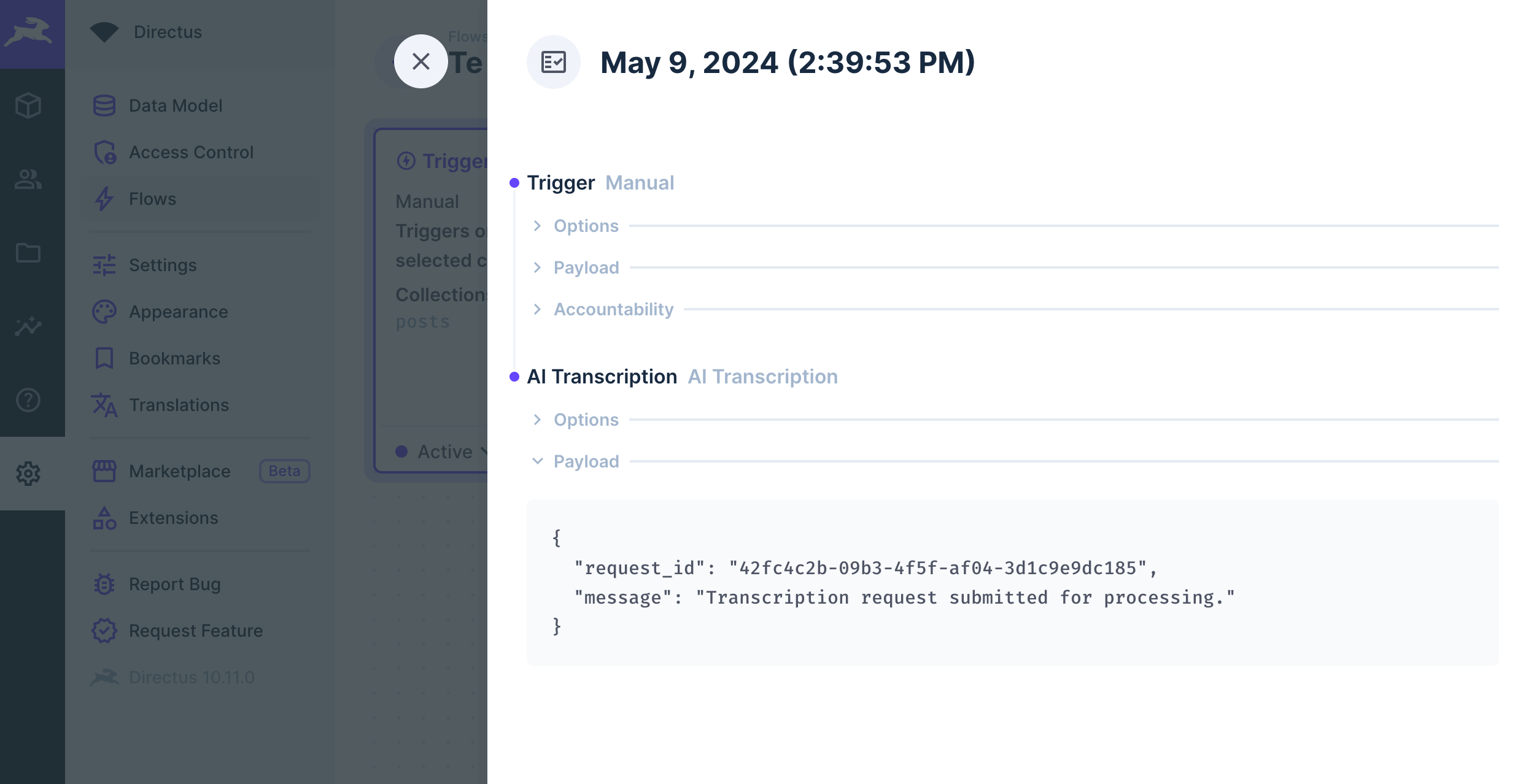
The request_id should be stored and used to identify the incoming transcript from Deepgram.
Once the transcript has been generated, the Deepgram API will make a POST request to the Callback URL you have provided. The request_id will be included in the metadata of that request.
Make sure that your Callback URL is configured to accept and handle the response from Deepgram's API. This could be another Directus Flow with an incoming Webhook Trigger or some other system.
Output
If no Callback URL is provided, the operation outputs a JSON object with the following structure:
{
    "confidence": 0.9995117,
    "transcript": "Hi. This is a long string with the full transcript. Complete with punctuation and capitalization."
    "words": [
        {
            "confidence": 0.9995117,
            "word": "word",
            "punctuated_word": "Hi.",
            "start": 0.08,
            "end": 0.3999998,
        }
    ],
    "paragraphs": {
        "transcript": "Hi.\n\nThis is a long string with the full transcript.\n\nComplete with punctuation and capitalization.",
        "paragraphs": [
            {
                "sentences": [
                    {
                        "start": 0.08,
                        "end": 0.3999998,
                        "text": "Hi."
                    }
                ],
                "num_words": 14,
                "start": 0.08,
                "end": 0.7075
            }
        ]
    }
}
If a Callback URL is provided, the operation outputs a JSON object with the following structure:
{
  "request_id": "42fc4c2b-09b3-4f5f-af04-3d1c9e9dc185",
  "message": "Transcription request submitted for processing."
}
Flow Setup
Automatically Transcribe New Files
Create a Flow with an Event Hook action trigger and a scope of files.upload. Use the AI Transciption operation, setting the File URL to https://your-directus-project-url/assets/{{ $trigger.key }}, being sure to provide your specific Directus Project URL.
This will work if your file is public, but if it isn't, you can append ?access_token=token to the File URL, replacing the value with a valid user token that has access to the file.
This operation will trigger on every new file upload, regardless of location or filetype. You may wish to add a conditional step between the trigger and transcription operation. The following condition rule will check that the file is audio:
{
    "$trigger": {
        "payload": {
            "type": {
                "_contains": "audio"
            }
        }
    }
}
Transcribe On-Demand
Create a Flow with a Manual trigger and select a collection with a file field, which should contain an audio file. Set the Location to Item Page Only. To receive the file ID create a Read Data operation for the same collection, setting IDs to {{ $trigger.body.keys[0] }}.
Use the AI Transciption operation, setting the File URL to https://your-directus-project-url/assets/{{ $last.file_field_name }}, being sure to provide your specific Directus Project URL and file field name.