
Learn more about our ✨ new ✨ native MCP
Directus Logo
  • Use Cases and Features
    • Headless CMS
      Manage and deliver content with ease
    • Backend-as-a-Service
      Build and ship applications faster
    • Headless Commerce
      A single source of truth for products
    • 100+ More Use Cases
      Build anything (or everything)
    • Instant APIs
      Connect a database, get REST + GraphQL APIs
    • Granular Policy-Based Auth
      Provide secure, autonomous data access
    • Visual Automation Builder
      Automate content and data workflows with ease
    • 50+ More Features
      Get everything you need out-of-the-box
    Project Showcase
    Built With Directus

    Built With Directus

    See what everyone's been building with Directus

  • Learn More
    • Blog
      Read our latest articles and guides
    • Case Studies
      Case studies and success stories
    • Community
      Join our new community forum.
    • Agency Directory
      Browse our list of agency partners
    • About Us
      Learn more about Directus and the team
    • Wall of Love
      See what others are saying about us
    • Contact
      Have a general inquiry or question for us?
    • Support
      Reach out to Directus support
    Watch Directus TV
    Directus TV
    Video

    Directus TV

    Go down the rabbit hole with hours of original video content from our team.

  • Developers
  • Enterprise
  • Pricing
Book a DemoGet StartedLog In
Directus Marketplace
Marketplace
  1. Extensions
  2. Integrations
  3. Templates
Back to Extensions
operation

AI Text Extraction Operation

Use Clarifai to find and extract text from image files.

AI Text Extraction Operation

Extract text from image files within Directus Files with this custom operation, using Clarifai.
Sample output

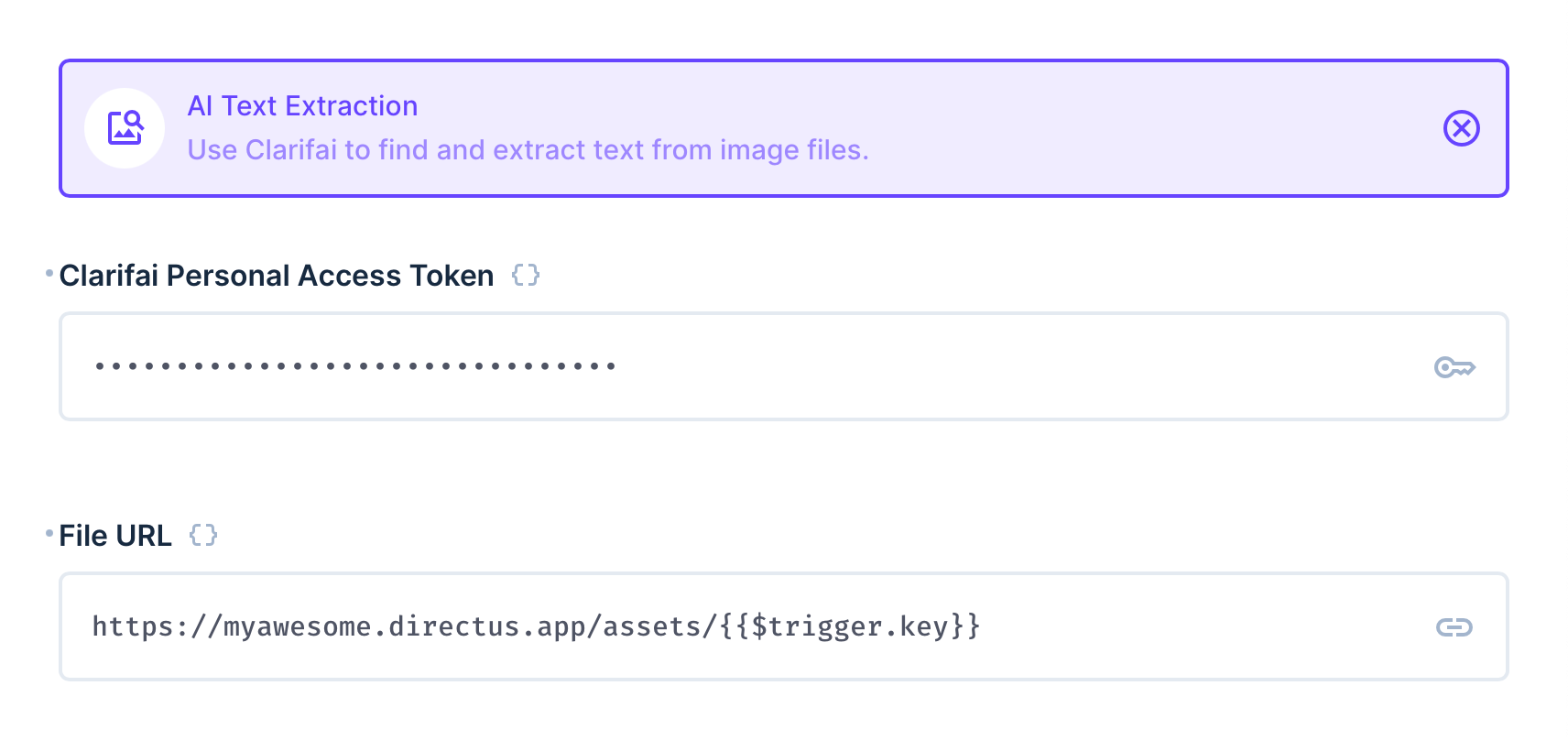
This operation requires two options to be set - first a personal access token from Clarifai (you can find this in your personal settings under Security), and a link to the image file. It will return a JSON object, with all the found text into a single merged string and a list of regions where the texts were found.

You can use the operation to then save the result to a file description or item, or run further automation on the output.

Output

This operation outputs a JSON object with the following structure:

{
  "text": "DIGGING\nTHE RABBIT HOLE",
  "regions": [
    {
      "id": "1e3fcaca88308d377d567966e4ae1dda",
      "region_info": {
        "bounding_box": {
          "top_row": 0.6302083,
          "left_col": 0.102489024,
          "bottom_row": 0.703125,
          "right_col": 0.32796484
        }
      },
      "data": {
        "text": {
          "raw": "DIGGING",
          "text_info": {
            "encoding": "UnknownTextEnc"
          }
        }
      },
      "value": 0.9584053
    },
      ...
  ]
}

Flow Setup

Automatically Extract Text From New Files

Create a Flow with an Event Hook action trigger and a scope of files.upload. Use the AI Text Extraction operation, setting the File URL to https://your-directus-project-url/assets/{{ $trigger.key }}, being sure to provide your specific Directus Project URL.

This will work if your file is public, but if it isn't, you can append ?access_token=token to the File URL, replacing the value with a valid user token that has access to the file.

This operation will trigger on every new file upload, regardless of location or filetype. You may wish to add a conditional step between the trigger and transcription operation. The following condition rule will check that the file is an image:

{
    "$trigger": {
        "payload": {
            "type": {
                "_contains": "image"
            }
        }
    }
}

Extract Text On-Demand

Create a Flow with a Manual trigger and select a collection with a file field, which should contain an image file. Set the Location to Item Page Only. To receive the file ID create a Read Data operation for the same collection, setting IDs to {{ $trigger.body.keys[0] }}.

Use the AI Text Extraction operation, setting the File URL to https://your-directus-project-url/assets/{{ $last.file_field_name }}, being sure to provide your specific Directus Project URL and file field name.

@directus-labs/ai-text-extraction-operation

npm i @directus-labs/ai-text-extraction-operation
This extension is sandboxed and can be installed through the Directus Marketplace. Learn more.
Mike Elsmore
Mike Elsmore
Verified
1.0.1
Works with v10.10.0+
Updated 11 months ago
MIT License
5.4 KiB (4 files)
npm
  • Directus LogoDirectus Logo

    A composable backend to build your Headless CMS, BaaS, and more. 

  • Solutions
    • Headless CMS
    • Backend-as-a-Service
    • Product Information
    • 100+ Things to Build
  • Resources
    • Documentation
    • Guides
    • Community
    • Release Notes
  • Support
    • Issue Tracker
    • Feature Requests
    • Community Chat
    • Cloud Dashboard
  • Organization
    • About
    • Careers
    • Brand Assets
    • Contact
©2025 Monospace Inc
  • Cloud Policies
  • License
  • Terms
  • Privacy