

AI Speech Generation Operation
Generate realistic speech clips from text using the Genny API.
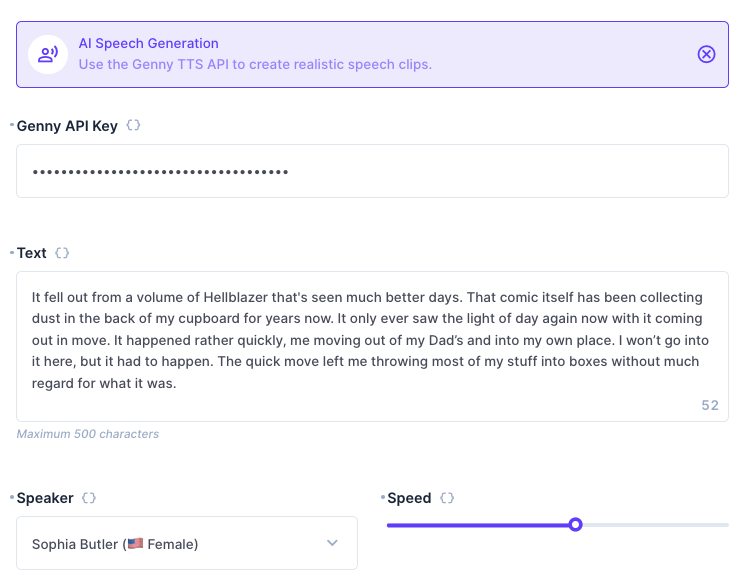
This operation contains four required configuration options - a Genny API key, the text to use in the clip, a speaker from the selecton of voices, and a speed (between 0.1 and 3 - 1 being 'normal'). It returns a string which is a direct URL to the generated audio file.
Output
The output is a plain string which is a URL to the generated audio file.
Flow Setup
Use the AI Speech Generation operation, using the {{ step }} variable syntax to dynamically create a prompt.
Immediately after the operation, create a Webhook / Request URL operation with the name "Import". Use a POST Method and a URL of https://your-directus-project-url/files/import, being sure to provide your specific Directus Project URL. If public file uploads are not enabled, you will need to add an Authorization header with the value Bearer token, where token must be a static token from a user who has permissions to create files.
Use the following Request Body:
{
	"url": "{{$last}}"
}
This operation will return the id of the new file at {{ import.data.data.id }}. You can use this ID in file relational fields.