Implement Multilingual Content with Directus and SvelteKit
Before You Start
You will need:
- Node.js v20.11.1 or later.
- A code editor on your computer.
- A Directus project - follow our quickstart guide if you don't already have one.
- Some knowledge of React and Svelte.
The code for this tutorial is available on this GitHub repository.
Installing SvelteKit and setting up a new project.
Start by setting up a new Svelte project and install the required dependencies including the Directus SDK:
npm create svelte@latest frontend # Select the Skeleton project
cd directus-i18n-app
npm install
npm install @directus/sdk
In the src/libs directory, create a directus.js file to create and export a Directus SDK instance:
import { createDirectus, rest } from '@directus/sdk';
import { PUBLIC_DIRECTUS_API_URL } from '$env/static/public';
function getDirectusInstance(fetch) {
    const options = fetch ? { globals: { fetch } } : {};
    const directus = createDirectus(PUBLIC_DIRECTUS_API_URL).with(rest());
    return directus;
}
export default getDirectusInstance;
Then create a .env file in the root directory of your project and add your Directus API URL:
PUBLIC_DIRECTUS_API_URL='https://directus.example.com';
Designing the Data Model
In the Directus Data Studio, navigate to Settings -> Data Model and create a new collection called news:
slug(Primary Key Field, Type: Manually entered string)author(Type: String, Interface: Input)cover(Type: Image)
Create a collection called languages:
code(Primary Key Field, Type: Manually entered string )name(Type: String, Interface: Input)direction(Type: String, Interface: Dropdown, Options:ltrandrtl. Default Value:ltr)
The direction field enables support for languages that read right to left.
To enable content translation in your news collection, create a translations field using translation interface. Select name as the Language Indicator Field, direction as the Language Direction Field and en-US as the Default Language.
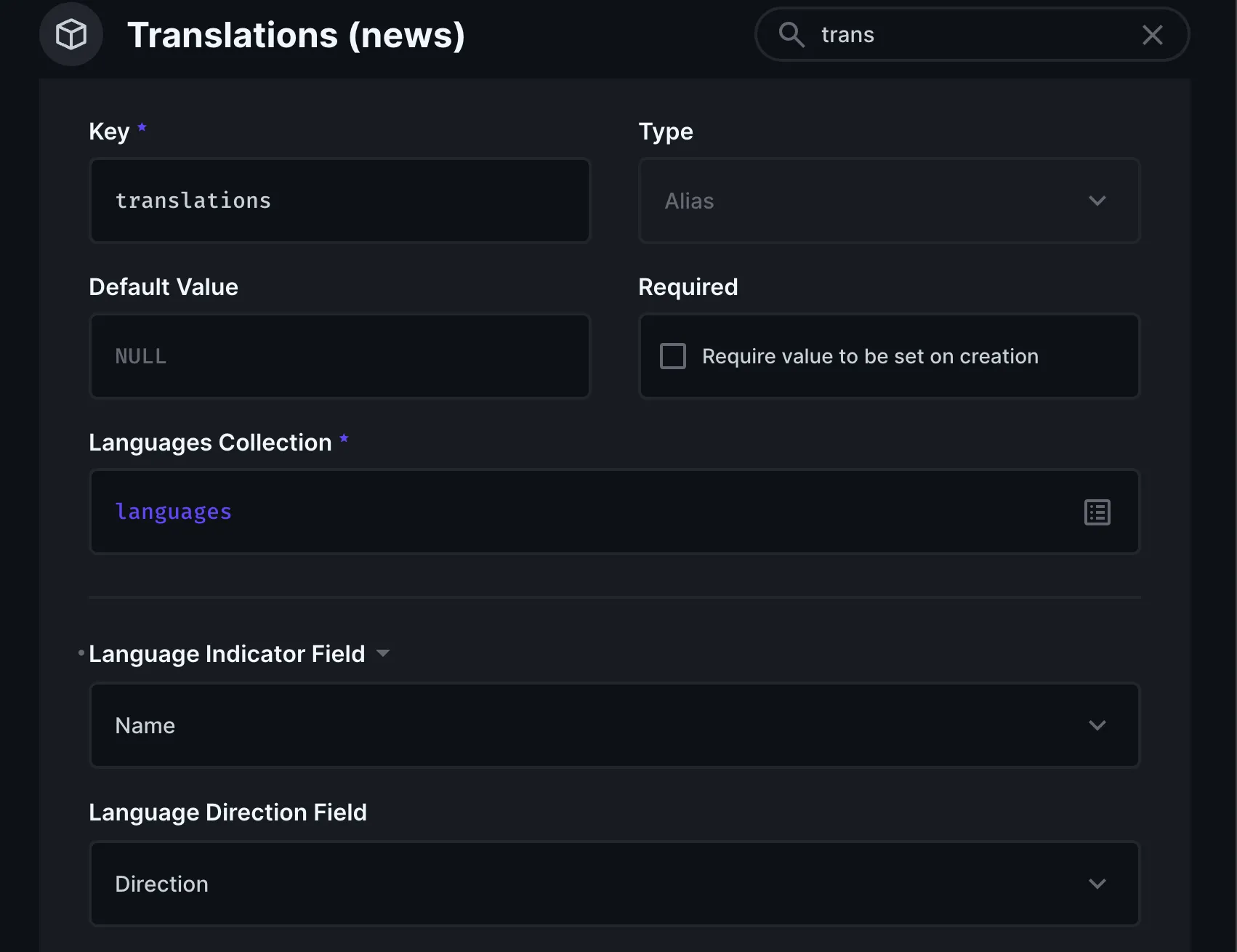
Once you save, a new collection named news_translations will be created for you. In the news_translations collection, you will add the fields that need translations.
Add the following fields to the news_translations collection:
title(Type: String, Interface: Input)body(Type: Text, Interface: WYSIWYG)
Add each language you want to support as items in the languages collection.
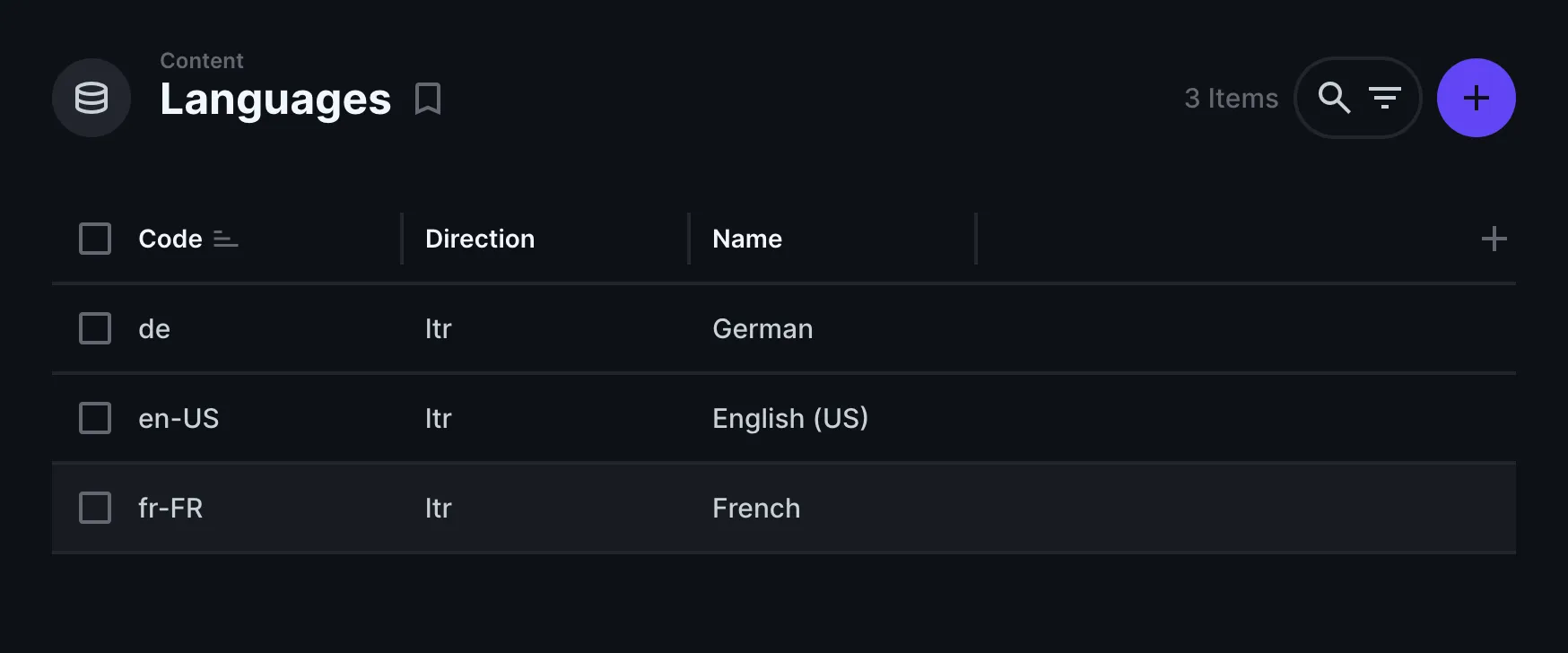
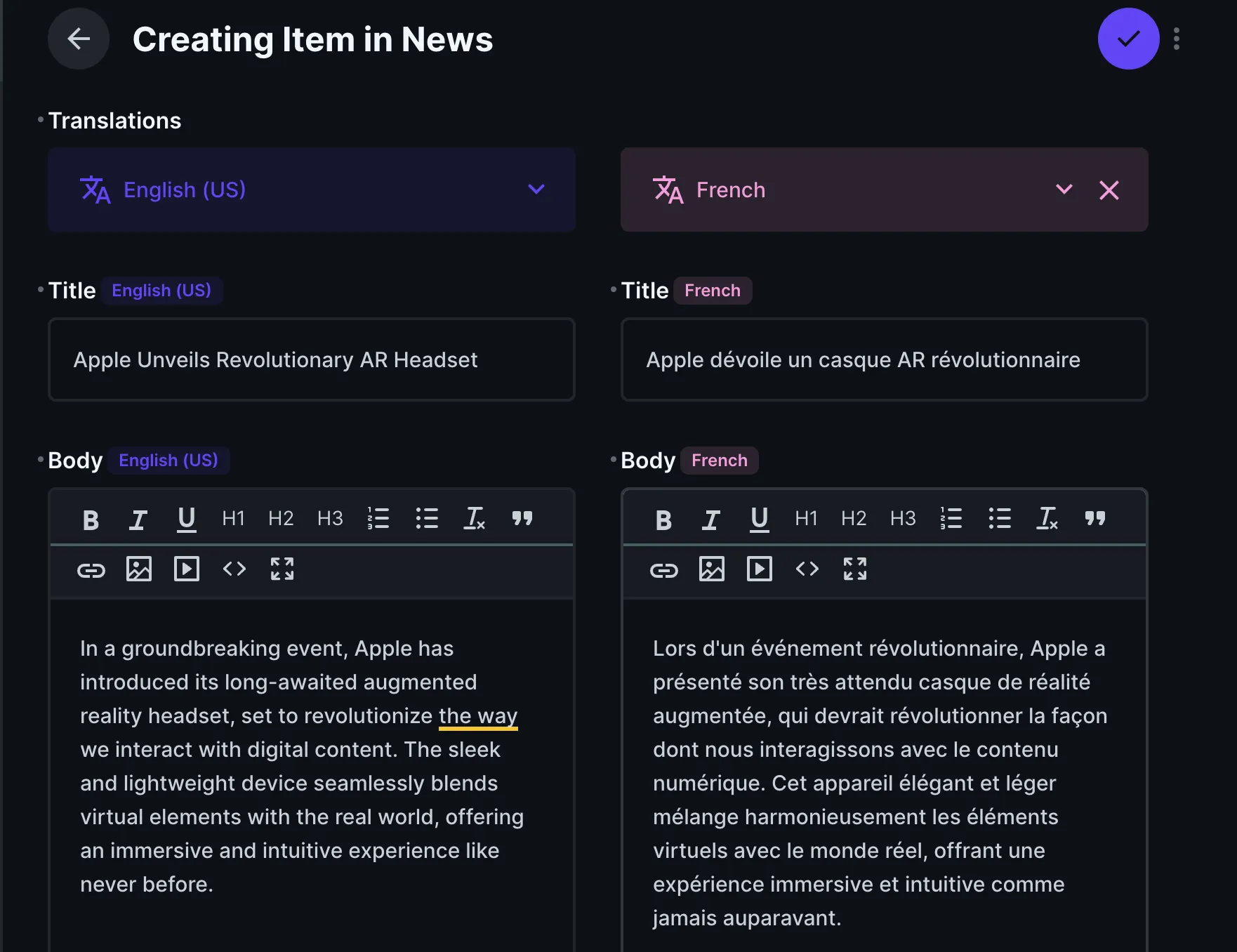
The item page for the news collection now includes a translations interface.
llow the Public role to read the news, languages and news_translations collections in the Access Control settings to ensure the frontend can access these collections.
Building the News App Frontend with SvelteKit
In your Svelte project, update your +page.js file to fetch your content using the SDK:
import getDirectusInstance from "$lib/directus";
import { readItems } from "@directus/sdk";

export async function load({ fetch }) {
  const directus = getDirectusInstance(fetch);
  return {
    global: await directus.request(readItems("global")),
    news: await directus.request(readItems("news", {
        deep: {
          translations: {
            _filter: {
              _and: [
                {
                  languages_code: { _eq: "en-US" },
                },
              ],
            },
          },
        },
        fields: ["*", { translations: ["*"] }],
      })
    ),
  };
}
The above code snippet will use:
readItemsfunction to fetch all the contents in the news collection.deepparameter to filter the related collection to only show the translations in en-US (English US).
Update the code in +page.svelte file in the src directory to render the news:
<script>
  export let data;
</script>

<h1>Trending Today!</h1>
<ul>
  {#each data.news as article}
    <li>
      <div>
        <h2>
          <a href={`/${article.id}`}>
            {article.translations[0].title}
          </a>
        </h2>
        <p>By {article.author}</p>
      </div>
    </li>
  {/each}
</ul>
The above code will:
- Loop through the news array returned in the
+page.jsfile to display the contents. - Attach a link to each news list pointing to the news single page.
Create a news/+page.js file in the routes directory for the route that will render the individual news contents:
import { readItem } from "@directus/sdk";
import getDirectusInstance from "$lib/directus";
import { error } from "@sveltejs/kit";

/** @type {import('./$types').PageLoad} */
export async function load({ fetch, params, url }) {
  const directus = getDirectusInstance(fetch);

  const slug = params.slug;
  try {
    const [newsData, languagesData] = await Promise.all([
      directus.request(
        readItem("news", slug, {
          fields: ["*", { "*": ["*"] }],
        })
      ),
      directus.request(readItems("languages")),
    ]);

    return {
      article: newsData ? newsData : null,
      languages: languagesData,
    };
  } catch (err) {
    error(404, "Post not found");
  }
}
The above code will:
- Use the
readItemfuntion to find and get the news that matches the primary key field (slug) in the news collection. - Fetch all the available languages from the
languagescollection.
Create a +page.svelte file in the routes/news directory and add the code:
<script>
  export let data;
  $: ({ article, languages } = data);
</script>
{#if article}
  <h1>{article.translations[0].title}</h1>
  {@html article.translations[0].body}
  <select>
    {#each languages as language}
      <option value={language.code}>{language.name}</option>
    {/each}
  </select>
{:else}
  <p>News not found.</p>
{/if}
The above code will:
- Get the languages and selected news article data returned from
news/+page.jsfile and render them. - Render the languages in a select field so users can choose the language they need the content to be translated into.
- Use the
@htmldecorator to properly render the WYSIWYGbodyfield content.
Adding Multilingual Navigation and Search
Update your project to add the multilingual navigation and search functionalities. Update the code in the routes/news/+page.svelte file to add a handler to dynamically render the article translation based on the selected language.
<script>
  import { goto } from '$app/navigation';
  export let data;
  $: ({ article, languages, languageCode } = data);

  let selectedLanguageCode = languageCode;

  function handleLanguageChange(event) {
    const newLanguageCode = event.target.value;
    selectedLanguageCode = newLanguageCode; // Update the selectedLanguageCode
    goto(`?lang=${newLanguageCode}`, { replaceState: true });
  }
</script>

{#if article}
  <h1>{article.translations[0].title}</h1>
  {@html article.translations[0].body}
  <select value={selectedLanguageCode} on:change={handleLanguageChange}>
    {#each languages as language}
      {console.log(language)}
      <option value={language.code}>{language.name}</option>
    {/each}
  </select>
{:else}
  <p>News not found.</p>
{/if}
Then, update the code in your routes/news/+page.js file to add a filter that allows users to dynamically select the language they need the news to be translated by adding a new URL parameter for the desired language code and use it to filter the news translations.
import { readItem } from "@directus/sdk";
import getDirectusInstance from "$lib/directus";
import { error } from "@sveltejs/kit";

/** @type {import('./$types').PageLoad} */
export async function load({ fetch, params, url }) {
  const directus = getDirectusInstance(fetch);

  const slug = params.slug;
  const languageCode = url.searchParams.get("lang") || "en-US";
  try {
    const [newsData, languagesData] = await Promise.all([
      directus.request(
        readItem("news", slug, {
          deep: {
            translations: {
              _filter: {
                _and: [
                  { languages_code: { _eq: languageCode } },
                ],
              },
            },
          },
          fields: ["*", { "*": ["*"] }],
        })
      ),
      directus.request(readItems("languages")),
    ]);

    return {
      article: newsData ? newsData : null,
      languages: languagesData,
      languageCode,
    };
  } catch (err) {
    error(404, "Post not found");
  }
}
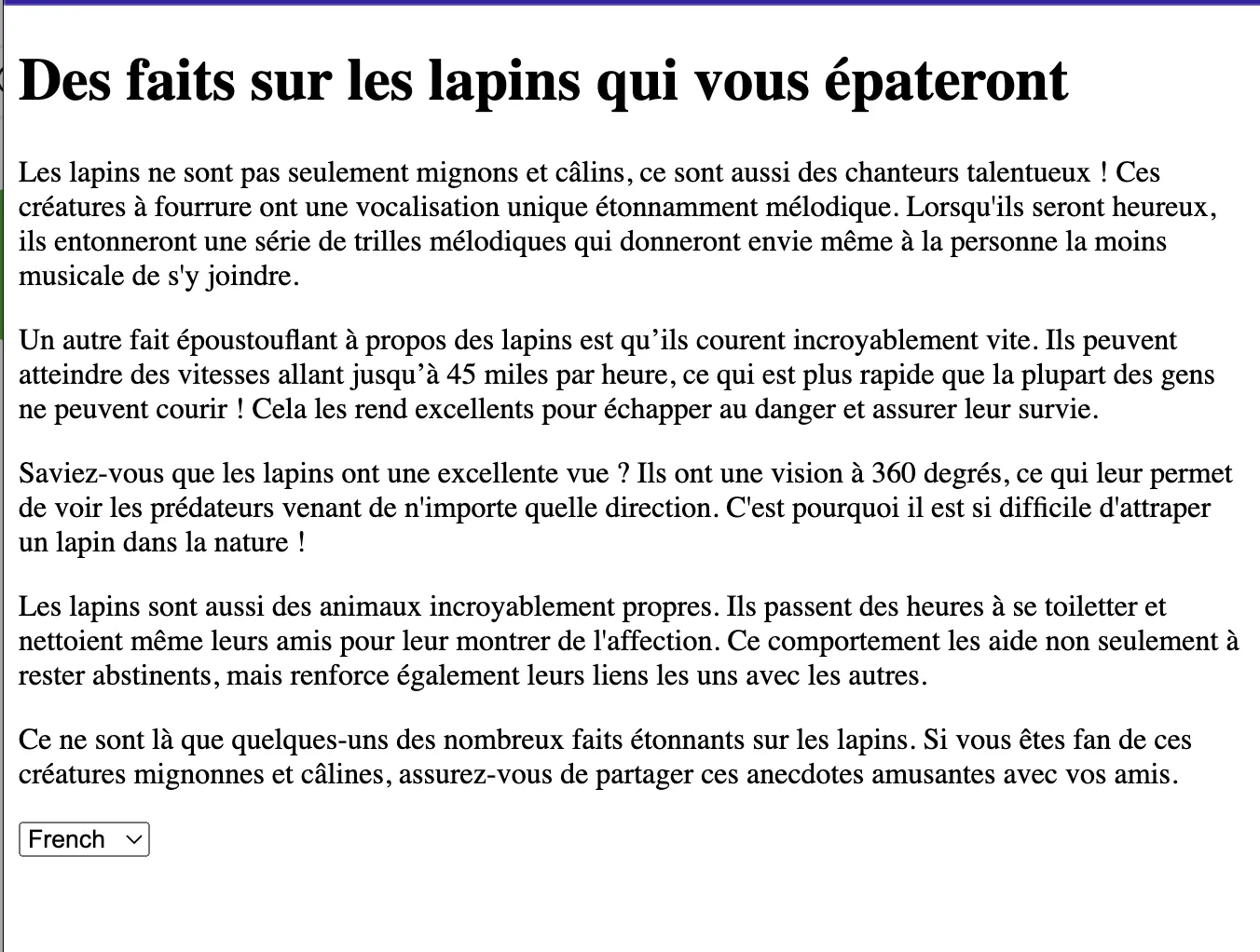
Now you translate the news in English, German, and French.
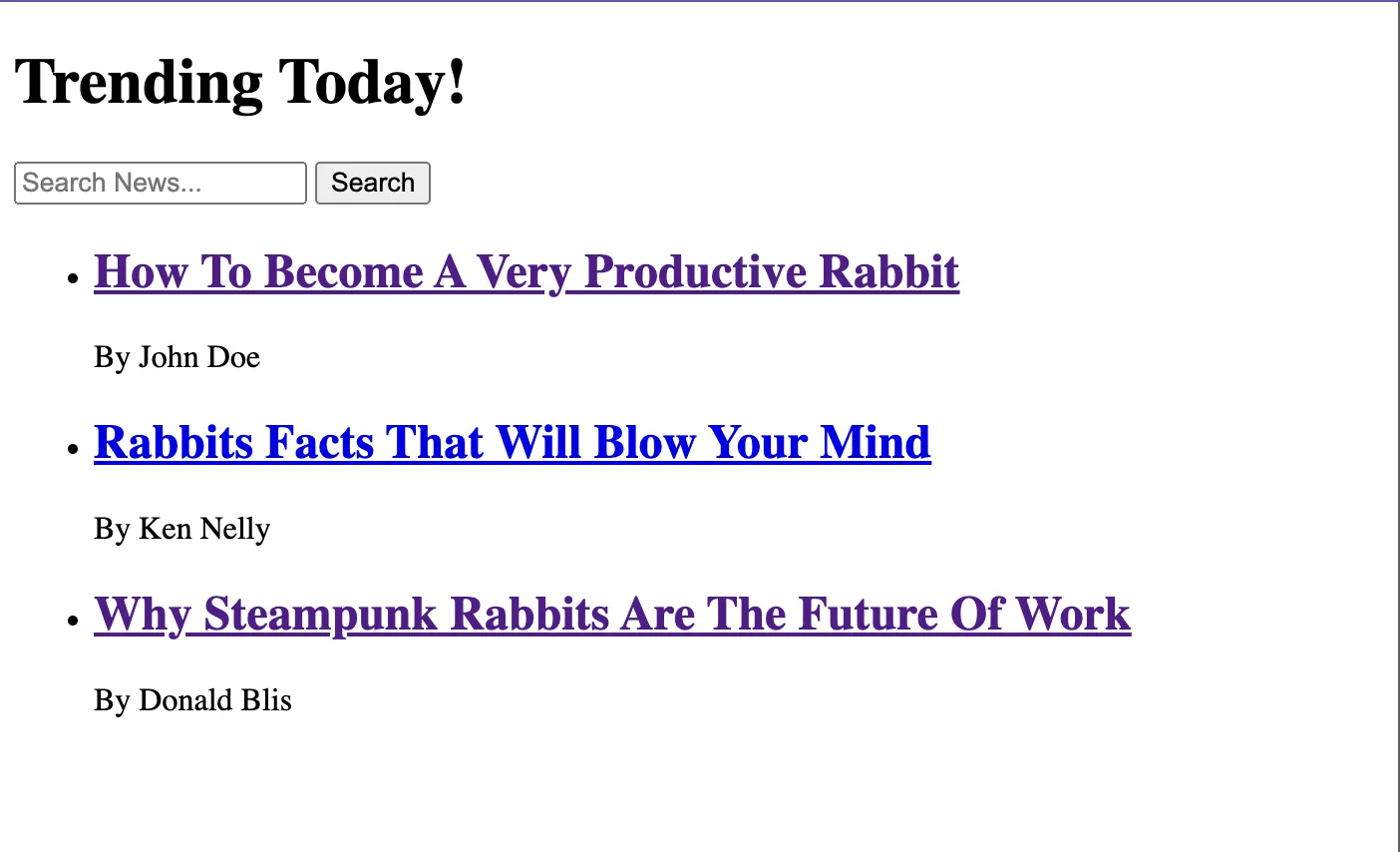
Replace the code in your routes/+page.svelte file with the code snippets below to add search functionality:
<script>
  import { goto } from "$app/navigation";
  import { page } from "$app/stores";
  export let data;

  let searchQuery = $page.url.searchParams.get("q") || "";

  function handleSearchChange() {
    goto(`/?q=${searchQuery}`, { replaceState: true });
  }
</script>

<h1>Trending Today!</h1>
<div>
  <input type="text" bind:value={searchQuery} placeholder="Search News..." />
  <button on:click={handleSearchChange}>Search</button>
</div>
<ul>
  {#each data.news as article}
    <li>
      <div>
        <h2>
          <a href={`/${article.id}`}>
            {article.translations[0].title}
          </a>
        </h2>
        <p>By {article.author}</p>
      </div>
    </li>
  {/each}
</ul>
The above code will:
- Define variables
searchQueryto store the user's search input. - Initialize the
searchQueryvariable with the value of theqquery parameter from the current URL($page.url.searchParams.get("q")). If noqparameter is present, it defaults to an empty string. - Use the
handleSearchChangeto update the URL with the currentsearchQueryvalue using thegotofunction from$app/navigation. ThereplaceState: trueoption will replace the current history entry instead of creating a new one. - Render an input field and a button to allow the user to enter a search query and trigger the search.
- Display the searched news or all the news if no search is made.
Summary
Throughout this tutorial, you've learned how to build a multilingual news application using SvelteKit and Directus. You have set up a SvelteKit project, created a Directus Wrapper, and used it to query data. We created translation collections using Directus's flexible CMS and used the translation interface to translate the news article content into different languages.
Get once-a-month release notes & real‑world code tips...no fluff. 🐰