Integrations
Netlify
Integrate Directus with Netlify to deploy your sites, track build progress, and manage frontend projects from within your Directus instance.
Integrate your Directus instance with Netlify to centrally deploy sites, track build progress, and manage multiple frontend projects — all from within Directus.
Quick Start
- Enable Deployment module: Enable the Deployment module in your Directus project settings
- Link your Netlify account: Go to the Deployment module and enter your Netlify Personal Access Token
- Add sites: Connect one or more Netlify sites to your Directus instance
- Deploy: Trigger builds and track deployment progress from Directus
Getting Started
Link Your Netlify Account
- In Directus, go to Settings
- Under Modules, enable the Deployment module
- Open the Deployment module from the primary navigation
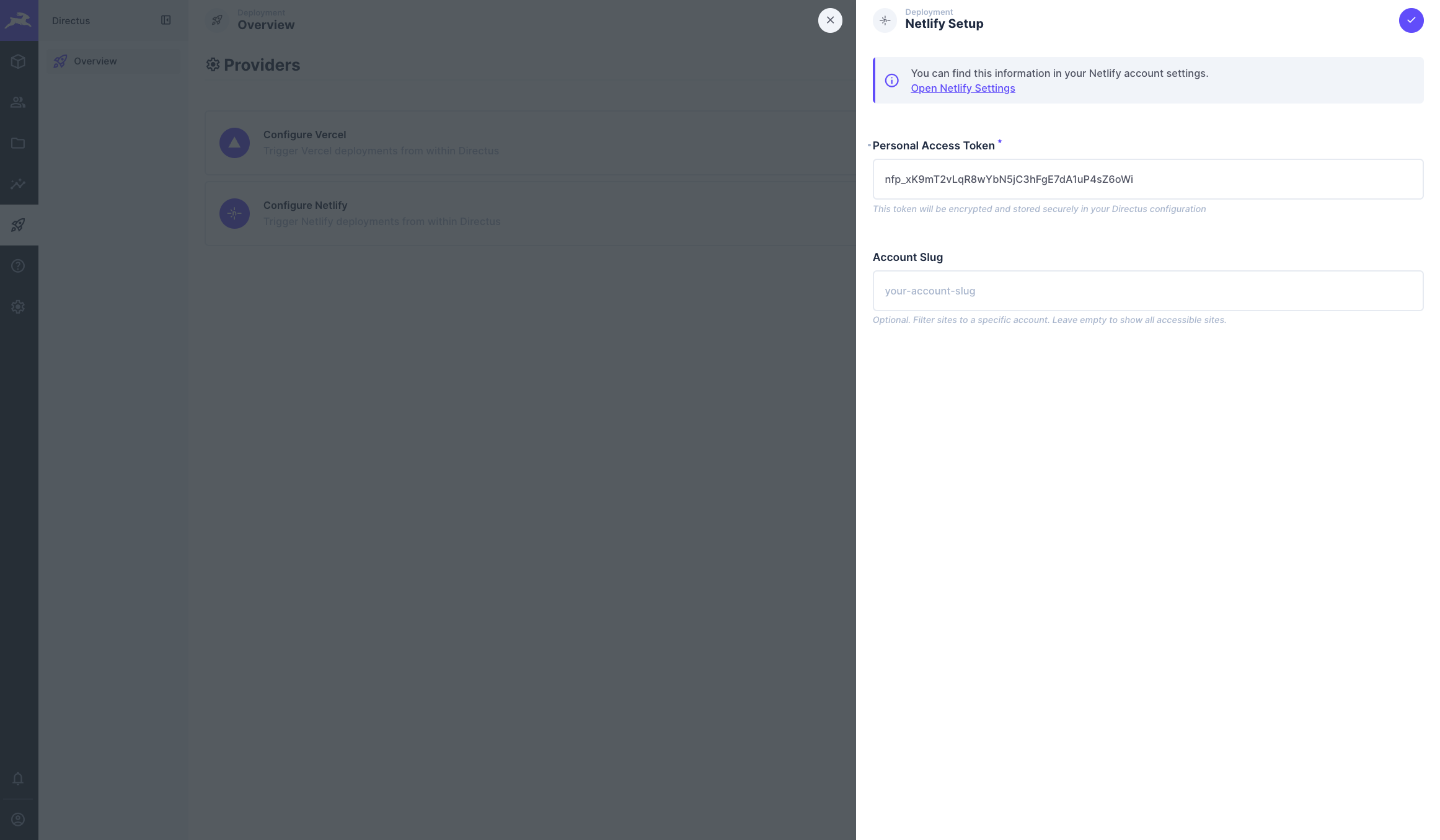
- Select Configure Netlify to set up the integration
- Personal Access Token: Your Netlify personal access token
- Account Slug (optional): Your Account Slug to filter sites to a specific account. Leave empty to show all accessible sites
- Click Save to connect and start adding sites
Configure Sites
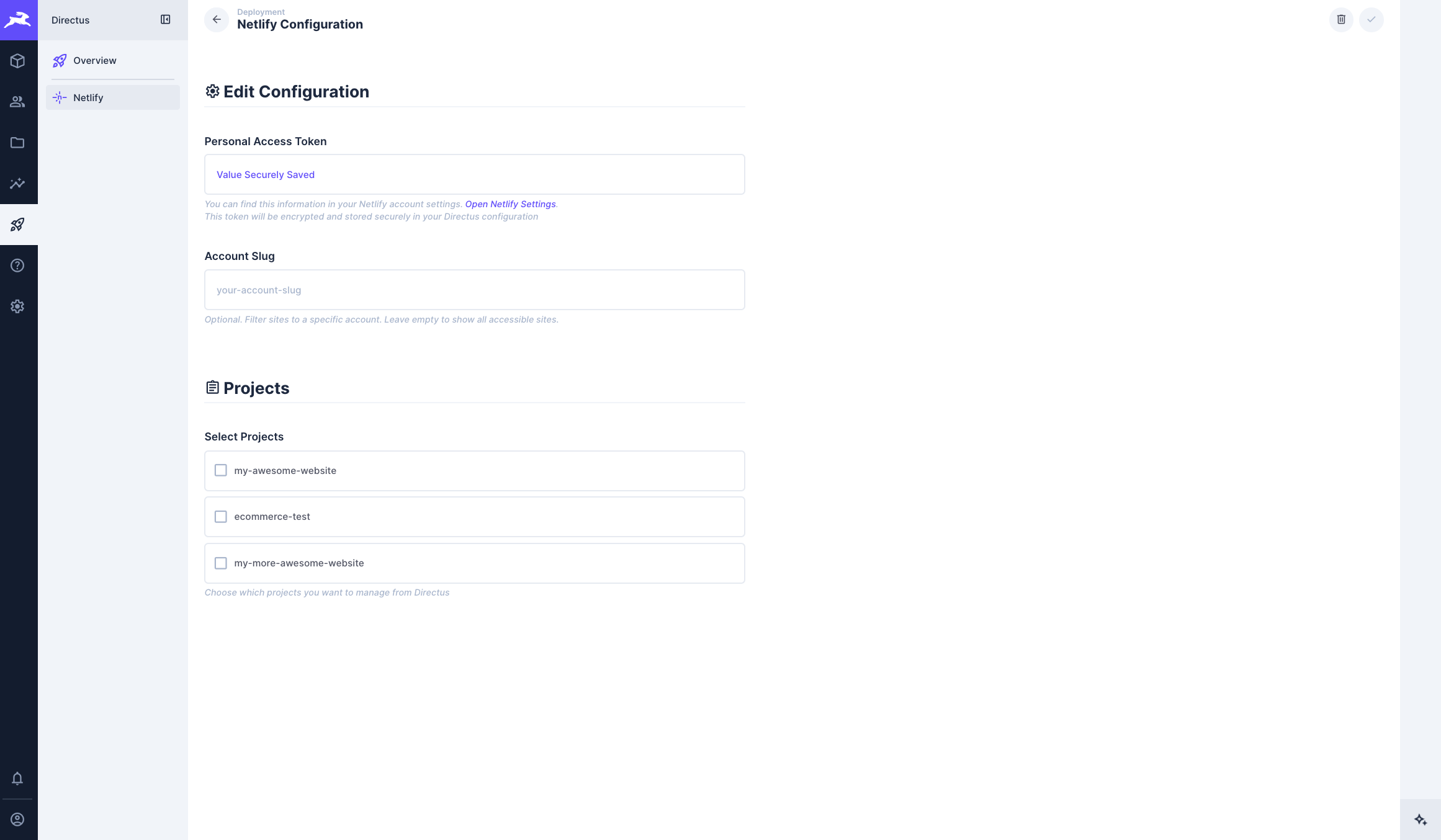
- From the Netlify Configuration screen, choose which Netlify sites to manage from Directus
- Click Save to add the selected sites
- Return to integration settings anytime to add or remove sites
Removing Sites
Removing a site from the Netlify integration will permanently delete all deployment history for that site from Directus. This cannot be undone.
Removing a site from the Netlify integration will permanently delete all deployment history for that site from Directus. This cannot be undone.
View Your Sites
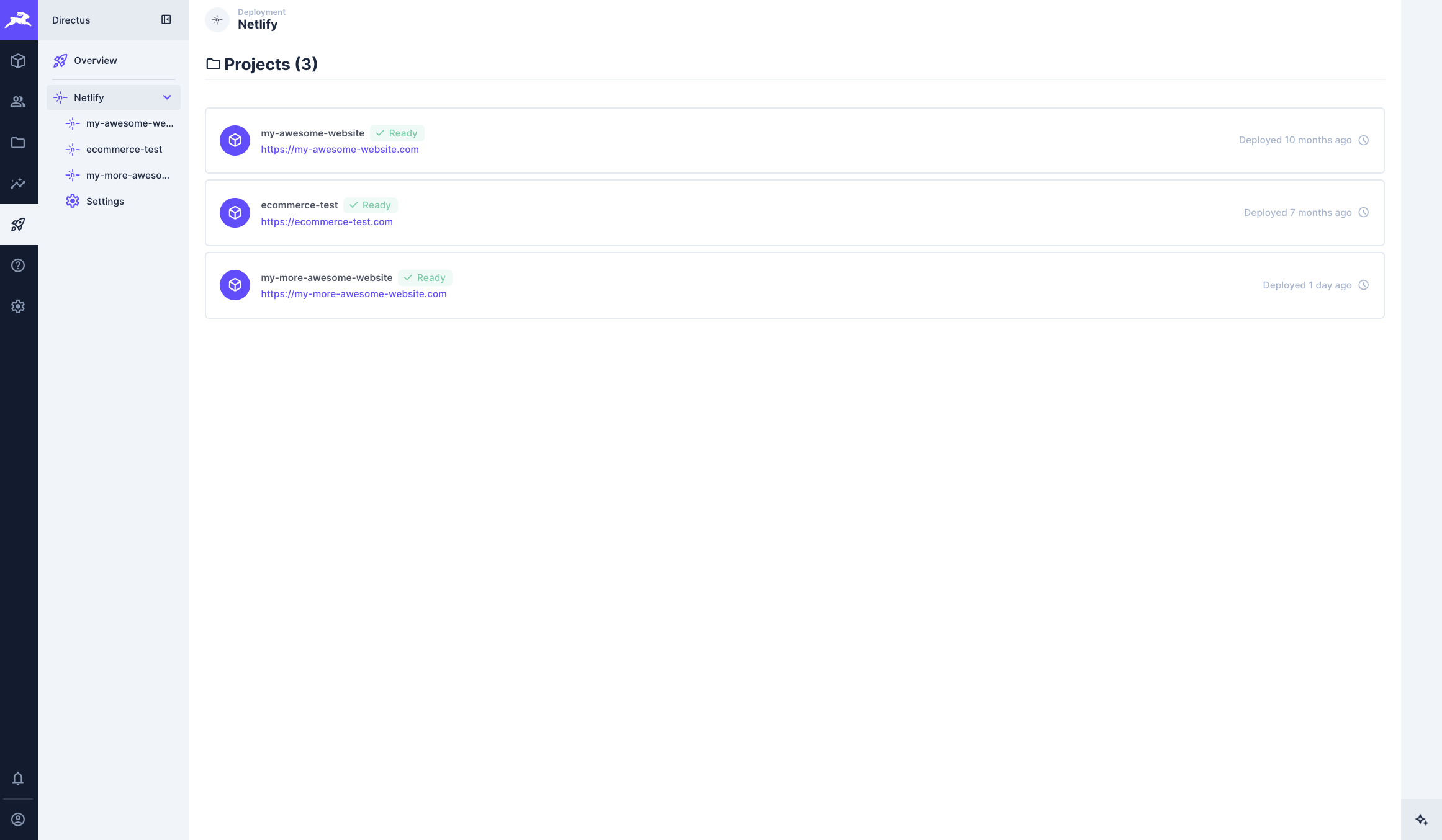
Once set up, your connected Netlify sites appear in the Deployment module. From here you can:
- See all connected sites at a glance
- Access deployment controls for each site
- Track deployment status and history
Permissions
The Deployment module uses Directus native permissions to control access. See Deployment Security for details on configuring roles and access policies.
The Deployment module uses Directus native permissions to control access. See Deployment Security for details on configuring roles and access policies.
Documentation
Trigger deployments, track build progress, and manage your frontend sites directly from Directus.
Get once-a-month release notes & real‑world code tips...no fluff. 🐰